



2026 / Product · Telegram Mini App · Web/PWA
MoyaDorozhka
A personal swim-training app.
Brief
A coach in your pocket, a set for today
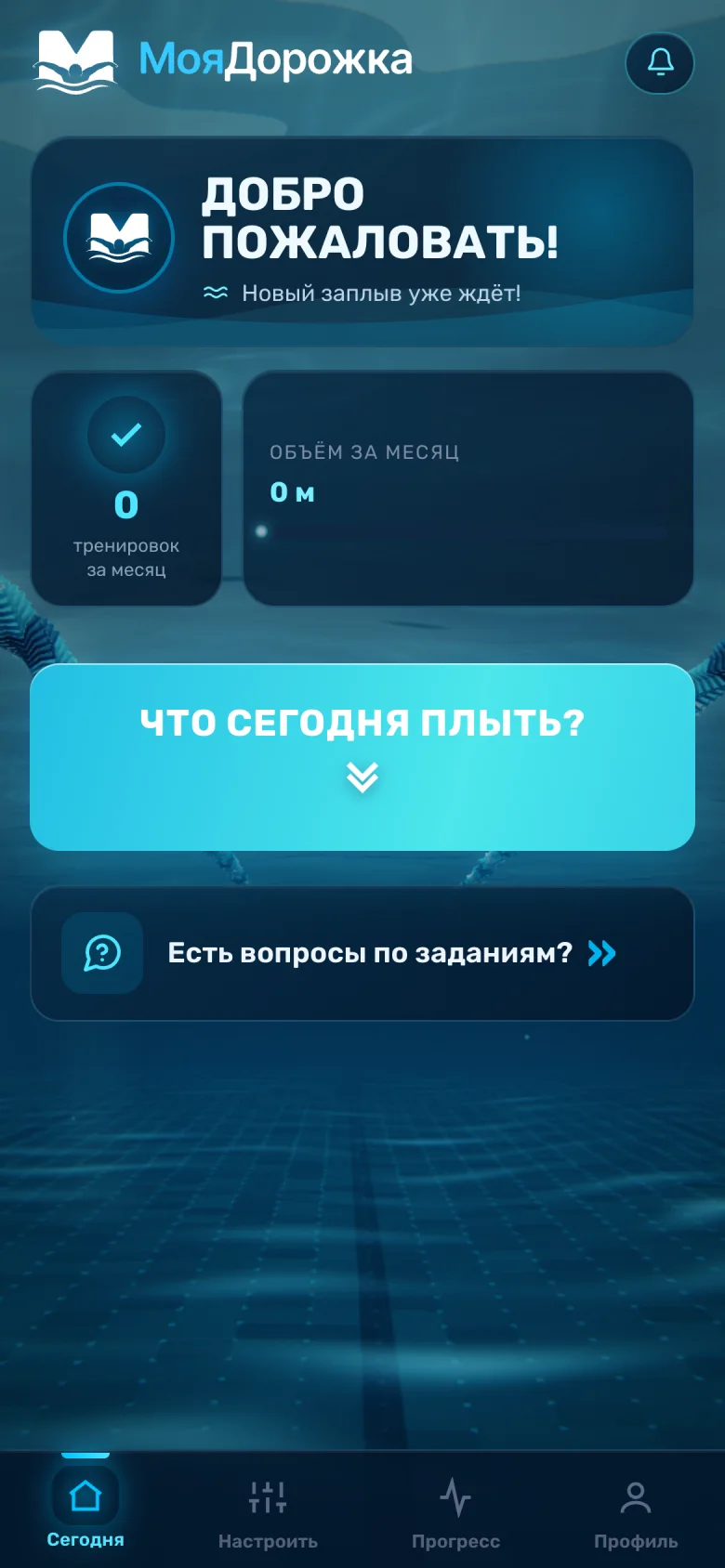
The project's coach writes the sets for swimmers. Every day the service assembles a workout from them for one particular person — their volume, pool, race distance, gear and focus — and opens wherever it suits them: in Telegram with no sign-up, or on the website without a VPN.
Telegram, no sign-up
A Mini App in the @MoyaDorozhkaBot bot: signed in by Telegram's own data, nothing to download.
Website, no VPN
moyadorozhka.ru opens the same app in a browser and installs on a phone as a PWA.
Shared progress
Whoever signs in on the website with Telegram sees the same progress and history as in the app in Telegram.

MoyaDorozhka
bot
👋 {name}, welcome to the MoyaDorozhka app!
- 🏊🏻 Workouts to your request every day;
- 🎯 Flexible settings for your goals;
- 🗓️ A calendar with the history of all your workouts;
- 📈 A counter of your progress;
- 📝 Save a workout in any format;
- ✅ A handy app with no downloads or sign-up;
- 📶 A web version of the app that works without a VPN.
Tap the button below to open the app ⬇️
- questions in the workout settings
- 6
- blocks: warm-up, main set, cool-down
- 3
- new workout a day, after 00:00 Moscow time
- 1
- of free trial with 3 workouts
- 7 days
Settings
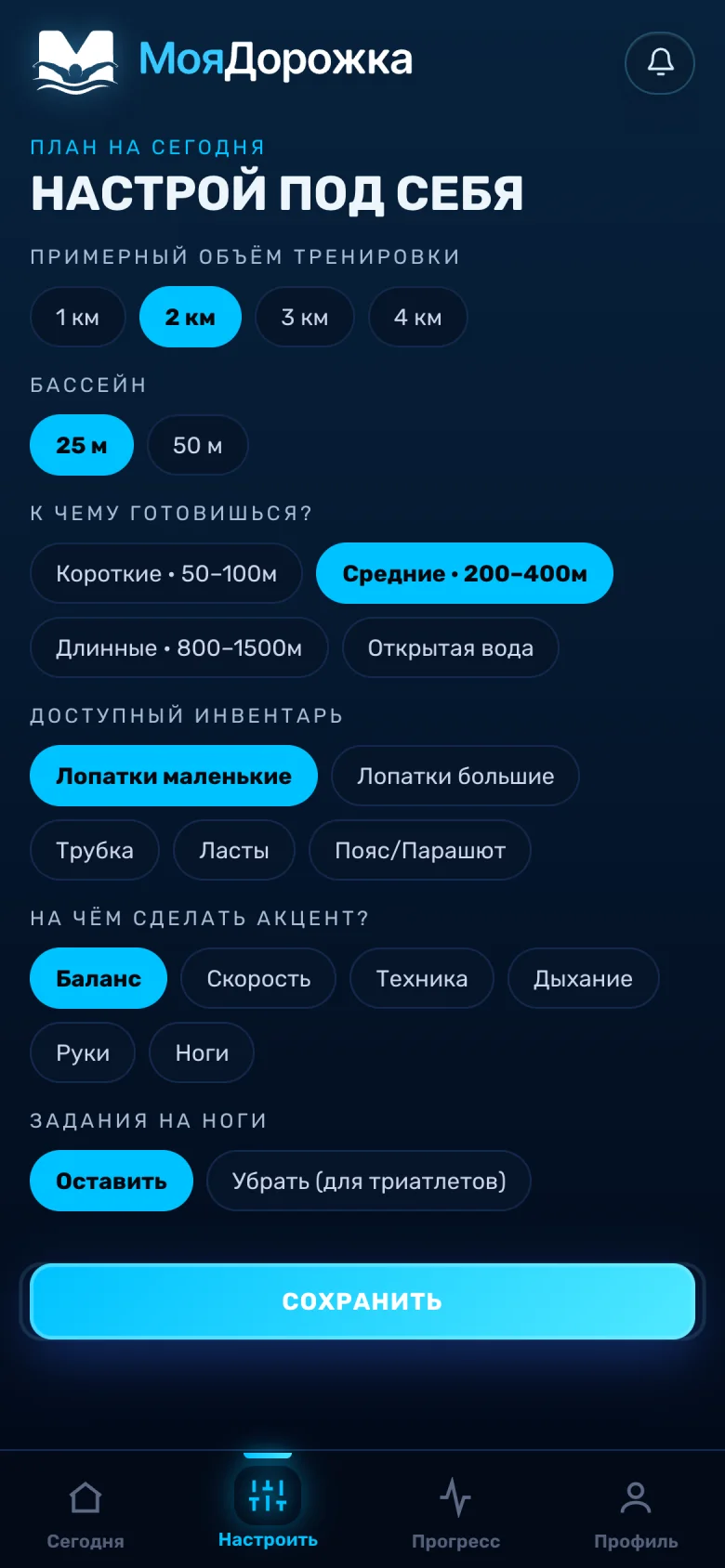
Six questions instead of a questionnaire
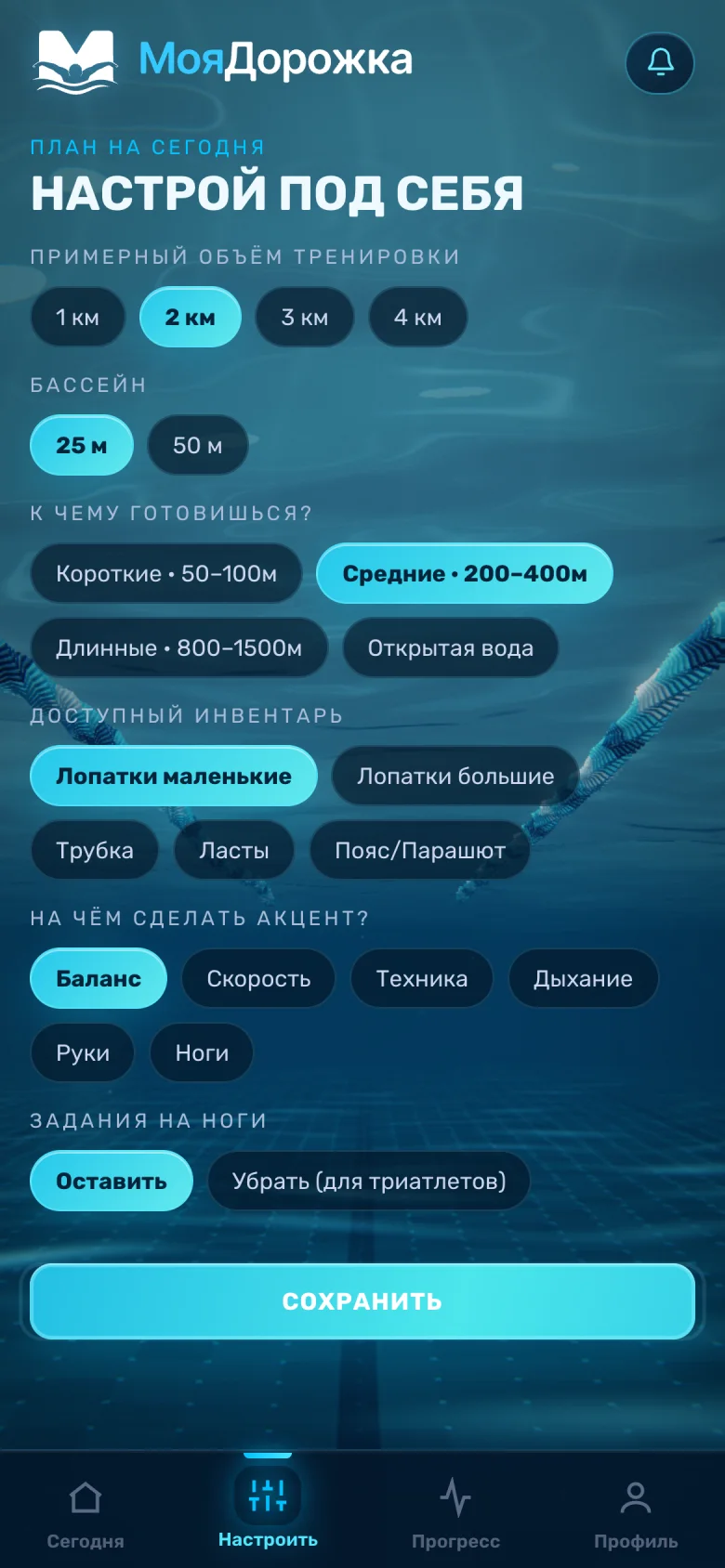
The swimmer answers six short questions — volume, pool, distance, gear, focus and leg sets — and saves. From those answers the app picks the coach's sets. Two answers can clash — the “Legs” focus and removing leg sets — and the screen itself keeps the settings workable.
Plan for today
Set it up your way
Approximate session volume
Pool
What are you training for?
Gear you have
What to focus on?
Leg sets
What the app sends for selection
- Volume
- 2 km
- Pool
- 25 m
- Distance
- Middle · 200–400m
- Focus
- Balance
Gear and leg sets
- Small paddlesyes
- Large paddlesno
- Snorkelno
- Finsno
- Belt/Parachuteno
- Leg setsyes
Selection runs on the server: the app sends these answers and gets a finished workout back.
Try choosing the “Legs” focus, then removing leg sets.
A switch for triathletes
Leg sets can be removed altogether. This is mainly for triathletes, whose legs are already loaded by the bike and the run. While leg sets are removed, the “Legs” focus can't be chosen.
Workout
The coach's language: a set and its |note|
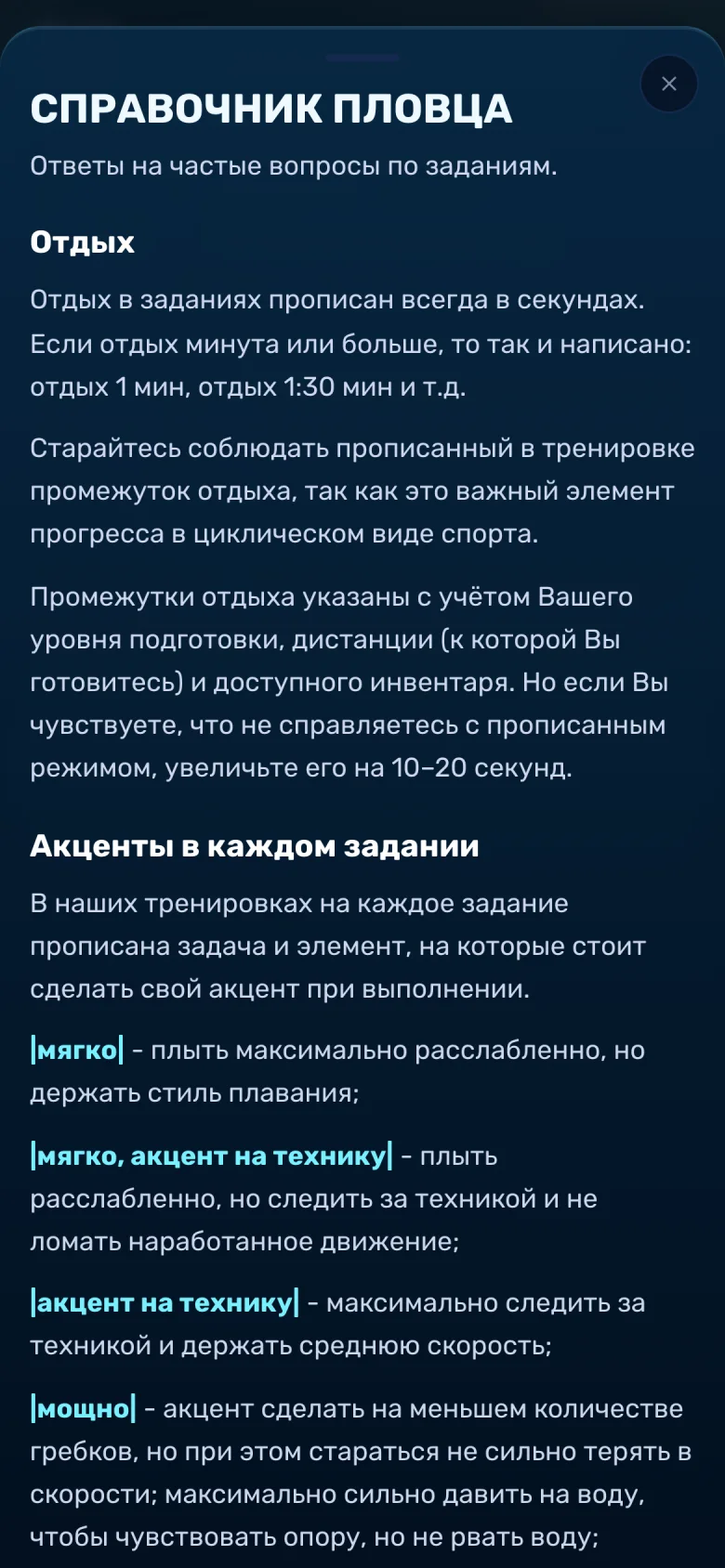
Every workout has three blocks. A set is written on one line, and a note between vertical bars may follow under it: rest, pace, what to watch. The app counts metres straight from the text of the set, and the built-in “Swimmer's guide” explains the notes.
8 September 2026
Warm-up
Main set
Lines from the 8 September workout the project posted on its channel on 12.09.2026, translated; typos fixed
Examples from the counter's code
The app counts
1,200m
4 × 300
48 lengths of 25 m · 200 m per row
Swimmer's guide
Notes used in sets. A dot marks the ones the chosen line uses.
|fast|· in this set
Power and tempo together: hold both the power and the pace.
What a workout is made of
- 01Warm-upThe first block, from the coach's warm-ups.
- 02Main setPicked for the distance the swimmer trains for, from their settings.
- 03Cool-downCloses the workout.
The server assembles the workout: the app sends the settings and gets a finished workout back; the catalogue of sets isn't kept in the browser.
Rhythm
One workout a day, and the right to change your mind
A new workout opens once a day, after 00:00 Moscow time, whenever the swimmer took the last one. If a set doesn't suit the mood, it can be replaced while the workout isn't marked done. How many times depends on the plan.
Plan · changes per 30 days
Get the workout
The “What do I swim today?” button on the home screen.
Change it if you don't like it
“Change” works until the workout is marked done; the count of changes left sits next to it.
Mark it done
Once marked, the workout can no longer be changed.
The next one — after 00:00 MSK
You can take one workout in the evening and the next in the morning.
Today
Today's workout hasn't been taken yet
Changes are counted per 30 days and don't carry over.
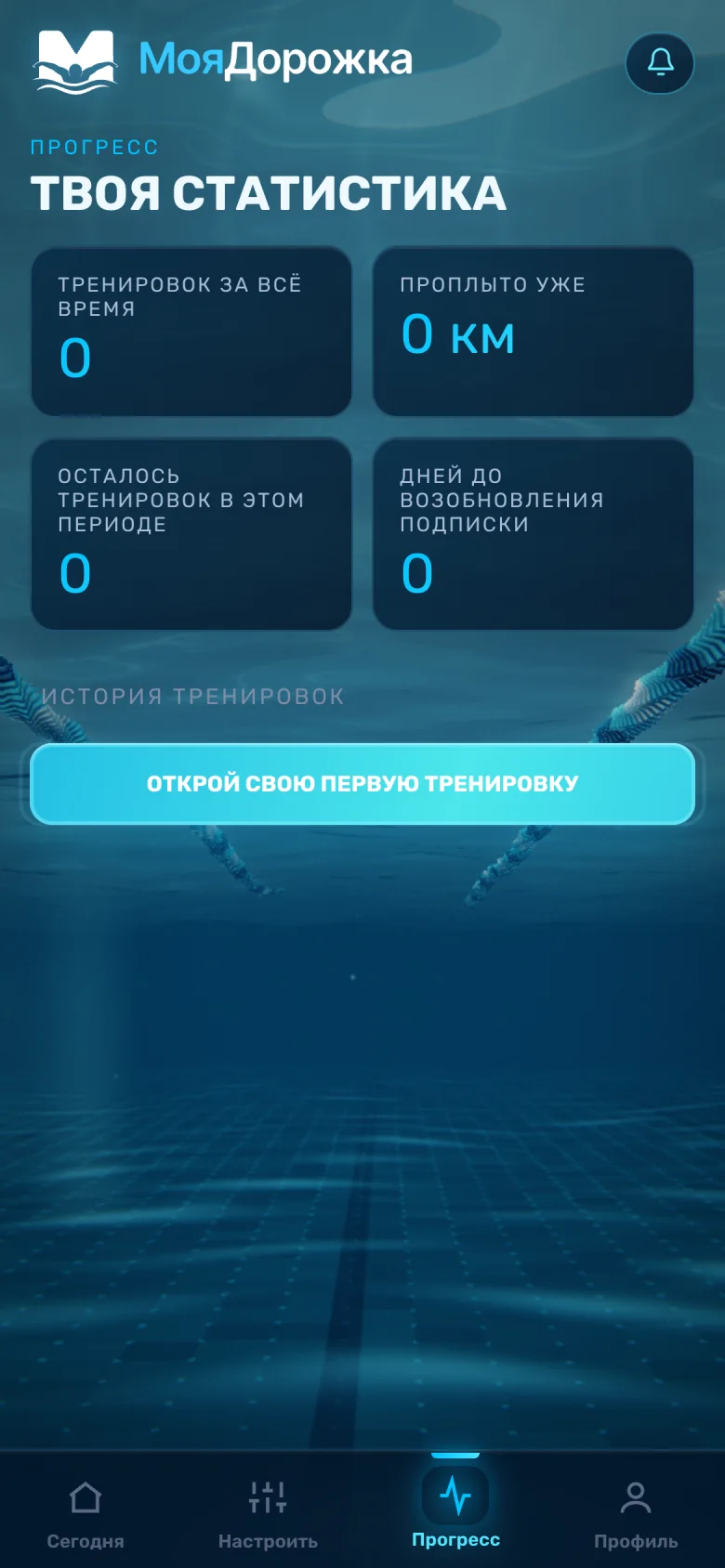
What stays after a workout
Counters
The home screen shows the month's workouts and volume; the “Progress” tab shows all-time totals and what's left on the subscription.
History
Every workout is kept in the history: open it, copy it as text or save it as a PDF.
Notifications
Messages from the service gather under the bell in the app's header.
Access
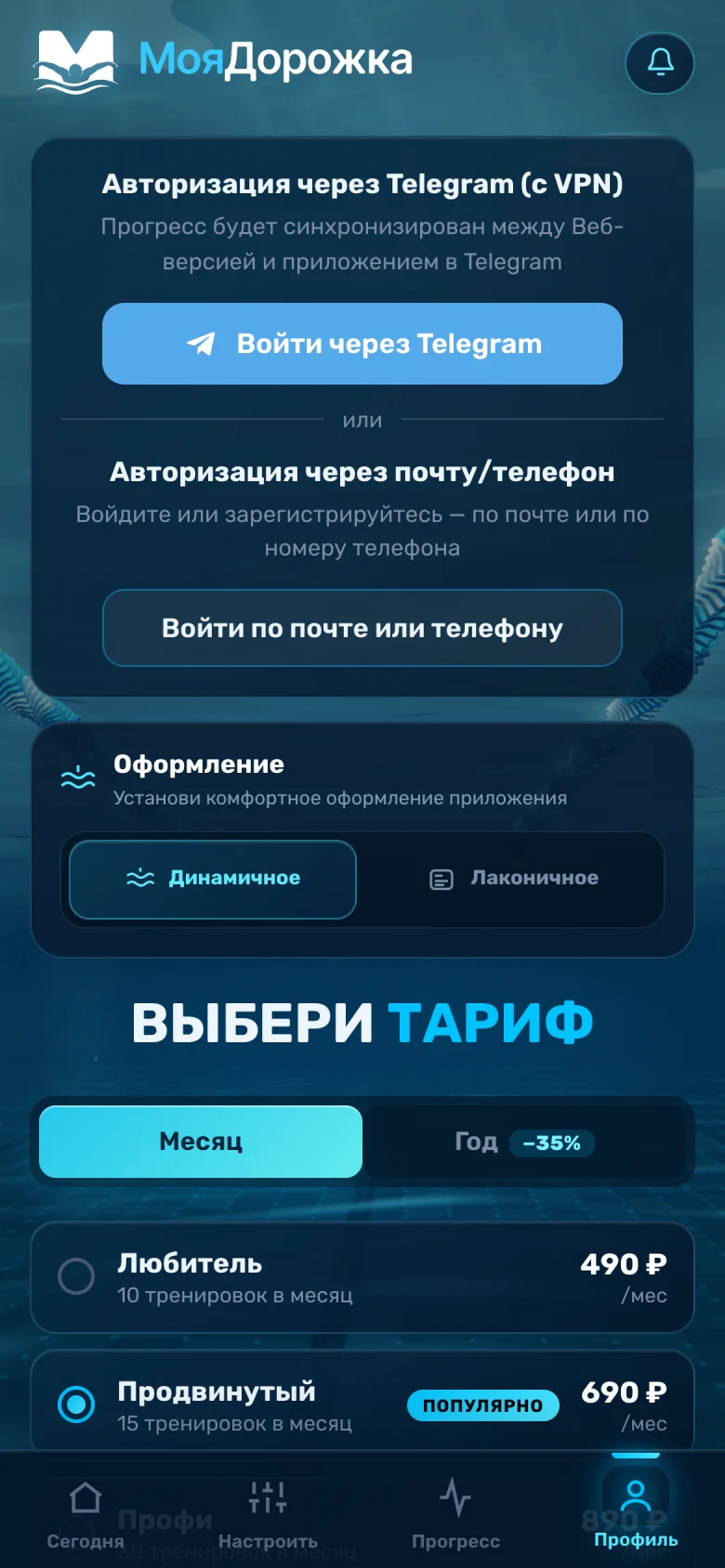
Telegram with no sign-up, a website with no VPN
The service lives in two places. In Telegram the app recognises the person by Telegram's own signed data. On the website they can sign in with Telegram — and then progress is shared with the app in Telegram — or by email or phone, where the number is confirmed with a free call.
@MoyaDorozhkaBot
Telegram Mini App
- Signed in by Telegram's signed data, no sign-up
- An “Add to Home Screen” menu item in Telegram 8.0 and later
- The bot's welcome and help are texts from the admin
moyadorozhka.ru
Web app
- Sign in with Telegram — for those who have a VPN
- Sign up by email with a confirmation code
- Sign up by phone: a free call confirms the number
Shared progress
Signed in with Telegram, progress syncs between the web app and the app in Telegram
So it always opens
- 01Installs on a phone and opens in its own window, like a separate app
- 02Opens at once even on a bad connection: the last complete copy of the interface is shown from the device while a fresh one downloads in the background. Workout data never goes through the cache and always comes from the server
- 03If a fresh version arrives in the first seconds and the person hasn't tapped anything yet, the page refreshes itself once
- 04In a normal browser it doesn't wait for telegram.org, which is slow to open in Russia: Telegram's code loads only inside Telegram
Subscription
Three plans and a trial week
Plans differ in workouts per month and in changes; a yearly subscription costs about a third less. A week can be tried for free: the card is linked with a 1 ₽ check payment that is refunded automatically. Every document — the offer, the policies and the consents — can be read in the app before paying. The app reads plans and texts from the database, and they are edited in the admin.
Choose a plan
Subscribe — Advanced · 690 ₽/mo
7 days free · then 690 ₽/mo
The plan shelf from the profile, changes per the offer; nothing is paid here
Subscription rules
- The trial is 7 days and up to 3 workouts, once per account
- The card is linked with a 1 ₽ payment that is refunded automatically
- Payments, auto-renewal and receipts go through YooKassa; auto-renewal can be switched off
- Moving to a higher plan costs the difference; moving lower within the current period isn't allowed
- Unused workouts don't carry over to the next period
- Promo codes are checked on the server
- Before paying, the swimmer ticks the consents: offer, data, cookies, auto-renewal, refunds
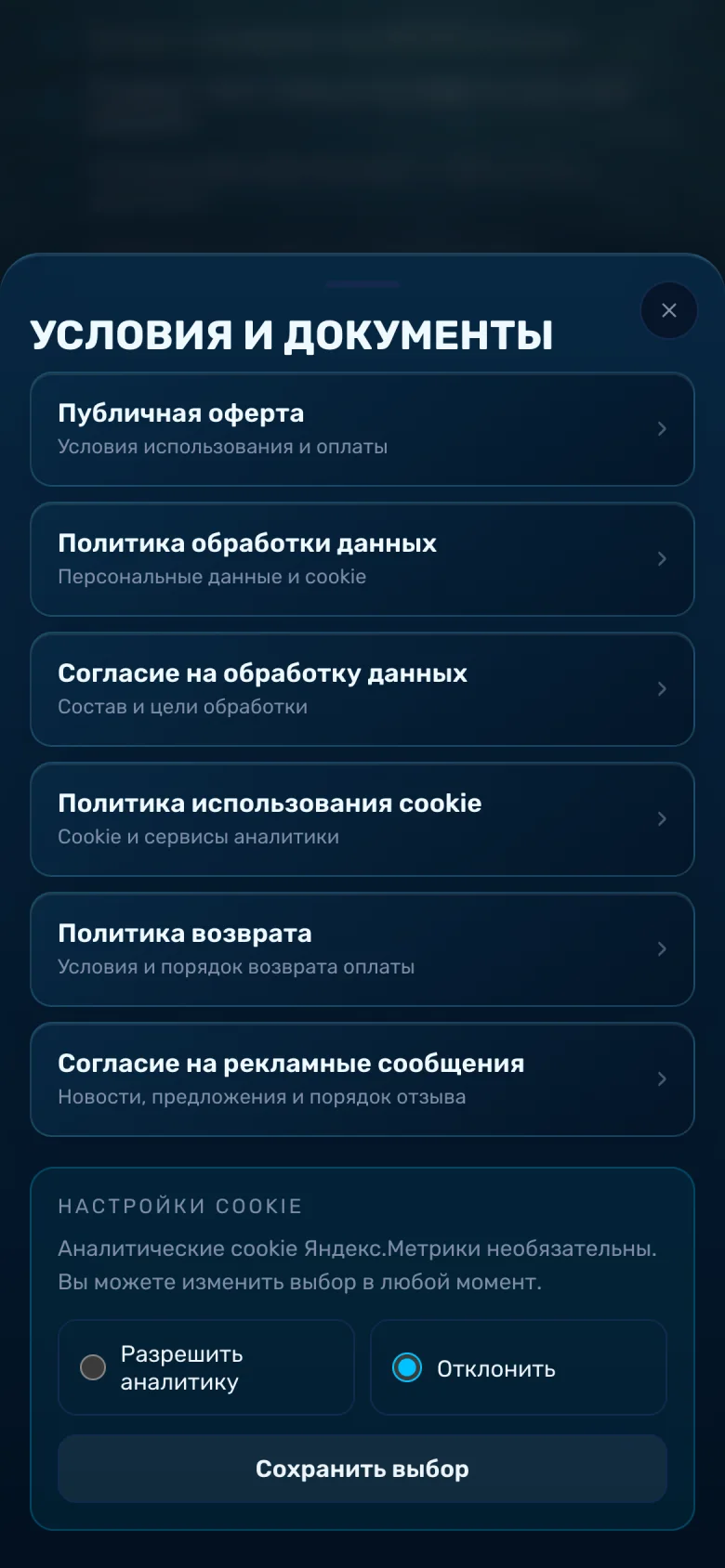
Documents on the site
- Public offer
- Personal data policy
- Consent to data processing
- Cookie policy
- Refund policy
- Consent to marketing messages
Looks
Dynamic and Minimal
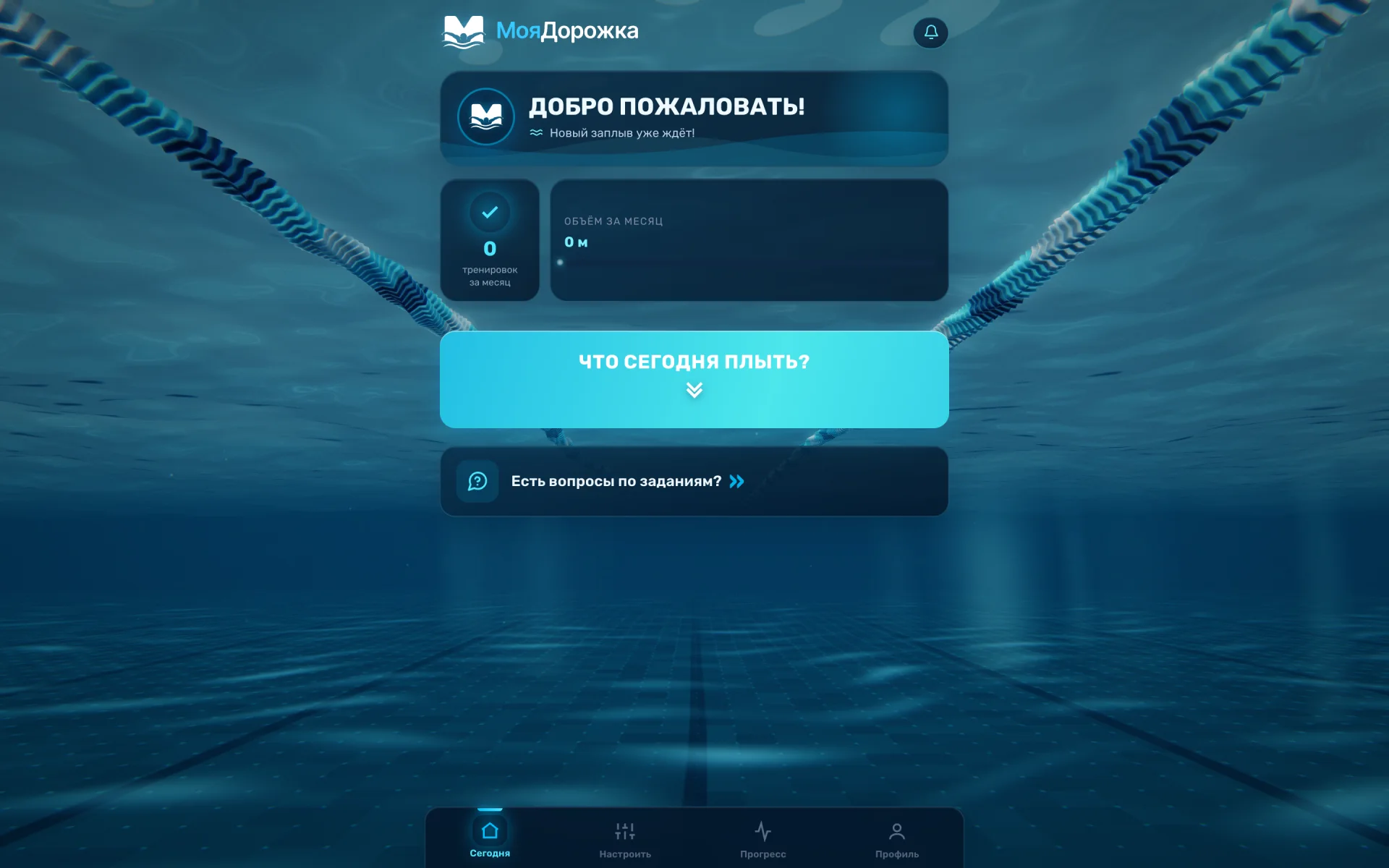
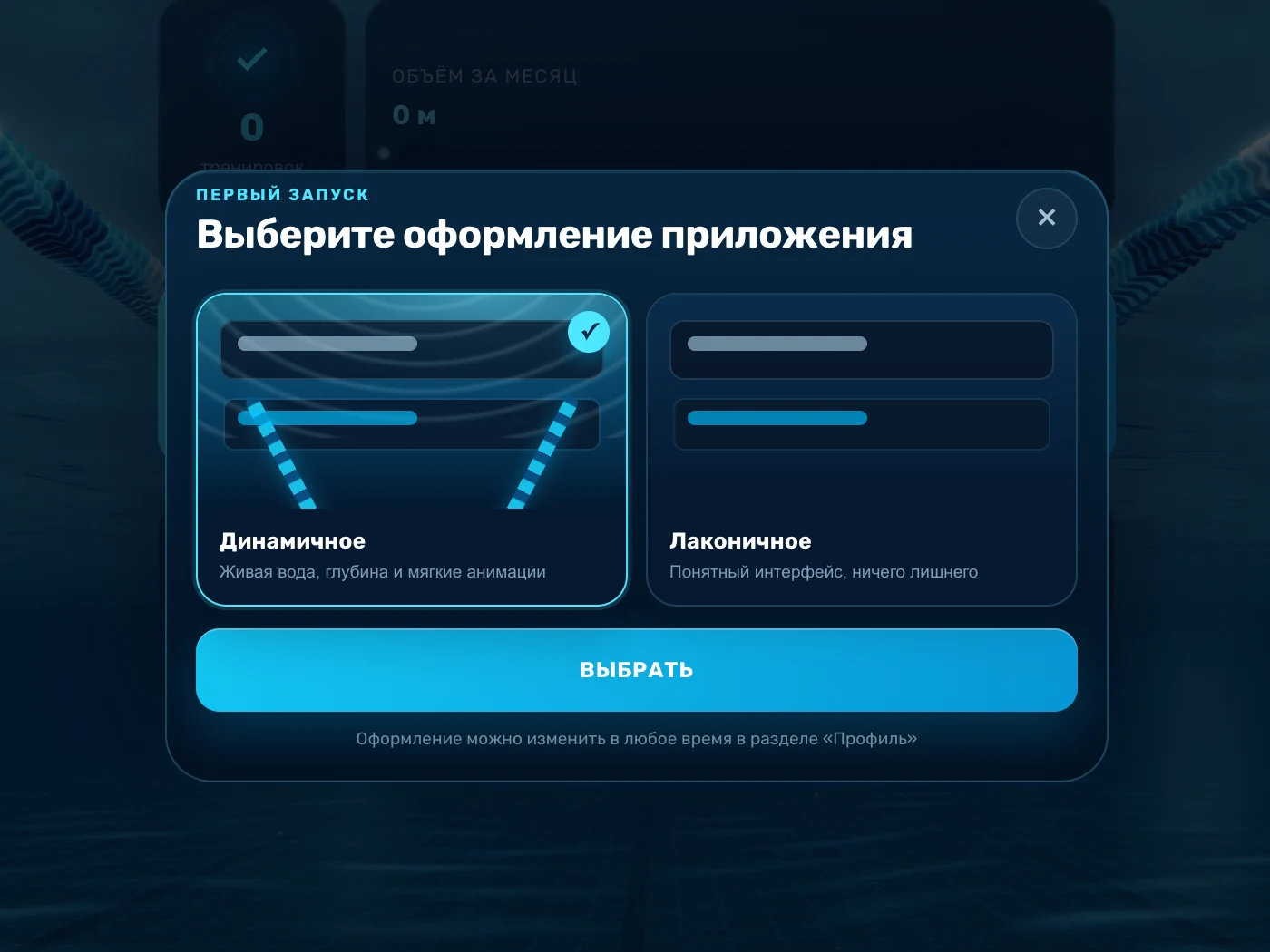
On first launch the app asks what it should look like. “Dynamic” puts a live 3D pool scene behind the interface: the swimmer looks along their lane from under the water. “Minimal” keeps a dark screen with no scene. The choice is stored on the device, changed in the profile and touches neither workouts nor the subscription.
What's inside the scene
 1234
1234- 1A surface of layered waves: straight above the camera the water lets the light through, and at an angle it mirrors the floor — the way a real pool's surface looks from under the water
- 2Ropes of floats that sway and spin on the waves
- 3A tiled floor with lane markings and patches of light drawn by the same waves
- 4Light rays through the water, bubbles and slowly drifting specks
Outcome
What the client received
The sets in the workouts were written by the project's coach. The screens on this page were captured from the live web app without signing in.
- A Telegram Mini App in the @MoyaDorozhkaBot bot
- The moyadorozhka.ru web app, installable as a PWA
- Sign-in with Telegram, email or phone; with Telegram, progress is shared between the site and the Mini App
- Workout settings and server-side selection from the coach's sets
- A workout a day with changes, progress, history and PDF
- A subscription with a trial week, YooKassa auto-renewal and promo codes
- Plans and texts edited in the admin
- Two looks, one of them a live 3D lane