

An operations platform for contract crushing
Downtime seen live,
not at month-end
2026 / Product · Design · Engineering
QS Group
An operations platform for contract crushing: a crew registry and plant card, a master app with a shift dial and downtime, an AI assistant that answers from documents — an interactive prototype.
16
CRM sections and an app for the master at the quarry
The brief
Over forty crews at customers’ quarries — and the facts live in calls and spreadsheets
QS Group does contract crushing: mobile crushing plants with their own crews work at customers’ quarries and mines. The master on site runs the shift, downtime, repairs, spare parts and safety, while the office learns about it from calls, messengers and spreadsheets — often after the shift has closed. We designed an operations platform where every plant has its own card and the master logs events from a phone as the shift goes.
The plant at the centre
A fleet registry and a crew card: the crushing line, specifications, a parts catalogue, documentation, planned maintenance and emergency stock.
Downtime with a cause
The master marks whose downtime it is — the customer’s or the crew’s. The conversation with the customer and the contract settlement depend on it.
A field without signal
The master app writes the shift journal to the phone and sends the records once there is signal. Entries can be dictated.
AI by the sources
The assistant searches the crew’s documents and history and says plainly when a part’s applicability is not confirmed.
- Platforms
- A web CRM for the office and a PWA for the master
- Scale
- 16 CRM sections, a crew card of 14 sections
- Stage
- Interactive prototype, not taken to launch
- Our part
- Product, design, front end, an API prototype
Equipment
Every plant — a card of its own
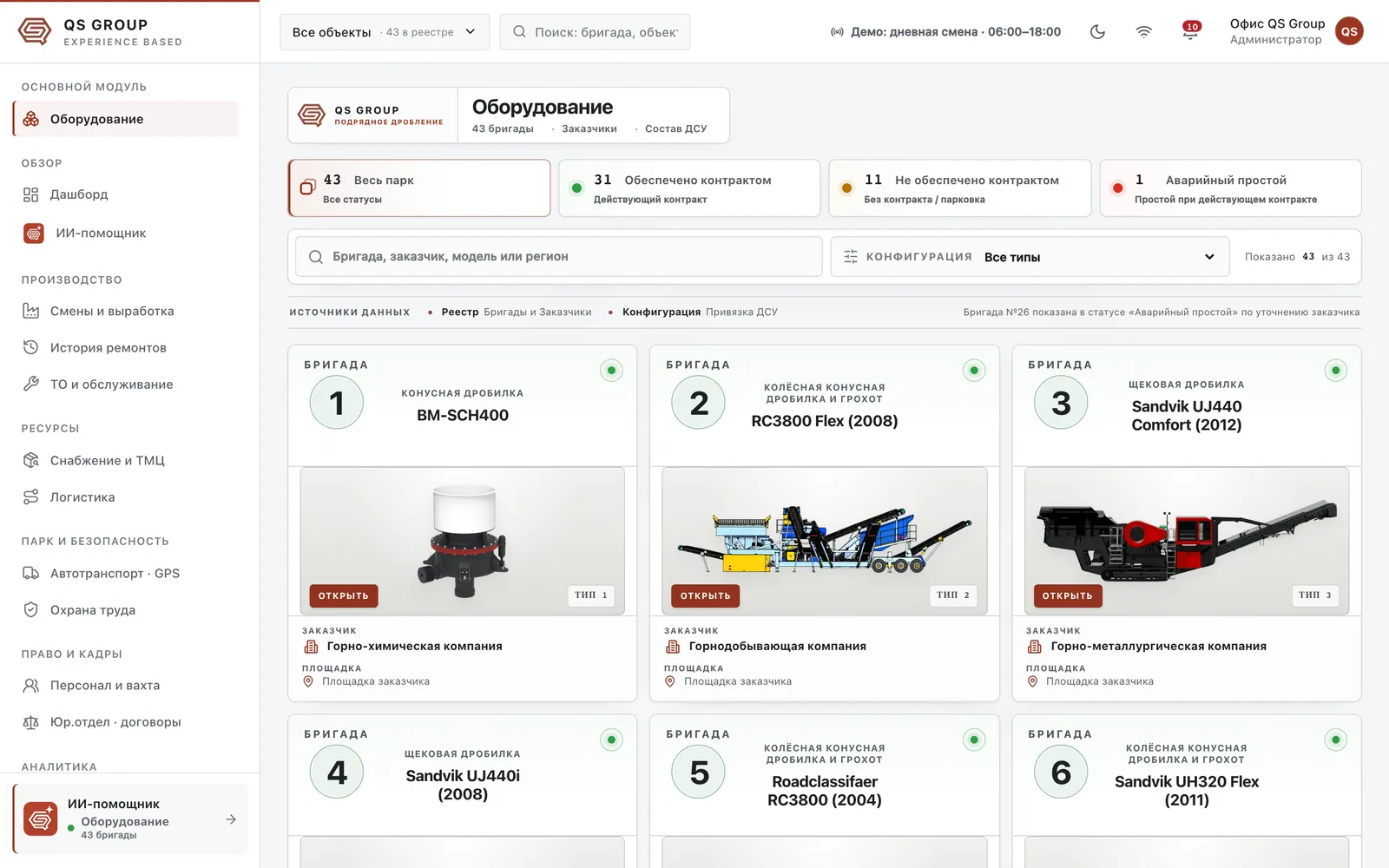
The core module is the fleet registry. The crew number in a circle, the plant’s type and model, contract status, customer and site; above them a summary by status, search and a filter by configuration. An emergency stop shows at once — as a red dot on the card.
The crew card
At the top is the crushing line: crews follow the order of processing, from the primary crusher to the next stages, and you can step between them. On the right are the card’s fourteen sections. The “Status” button gathers the whole line into one window.
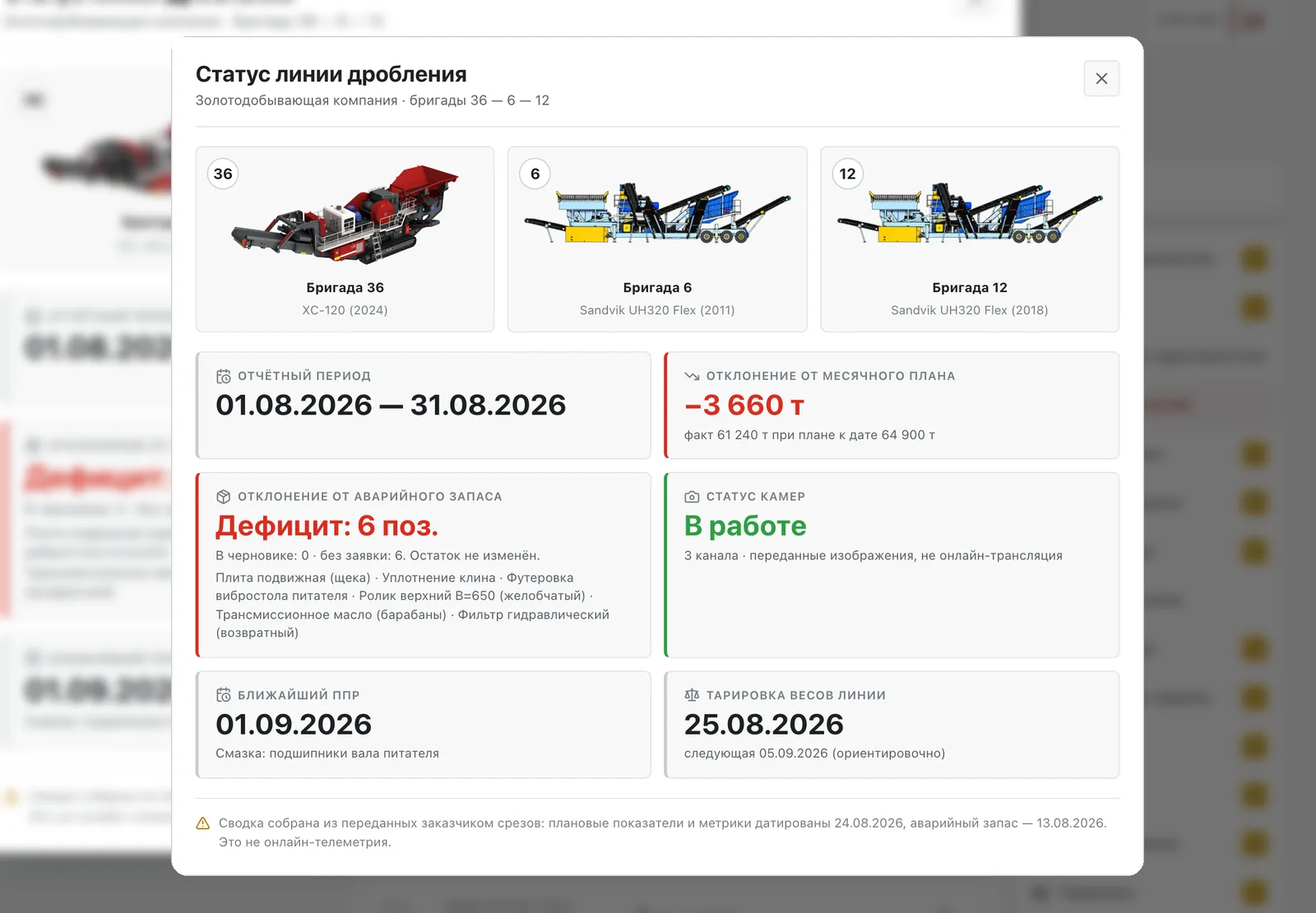
Three plants, deviation from plan, emergency stock, maintenance and calibration
Eight more sections — plan figures, the logbook, inventory, the statement of work, personnel, cameras, online metrics and calibration — are built on the customer’s data, so they are shown here without screens.
The master app
A shift on a clock face — the master’s main gauge
Twelve hours of a shift lie on an ordinary clock face: 08:00 and 20:00 meet at “eight”. Dark is time gone, hatching is lunch and handover, colour is downtime from the journal, dots are faults and finished work. Play the shift and watch the master’s records add up to a report.
- Time gone
- Lunch, handover
- Customer downtime
- Crew downtime
- Fault
- Maintenance job
Shift journal
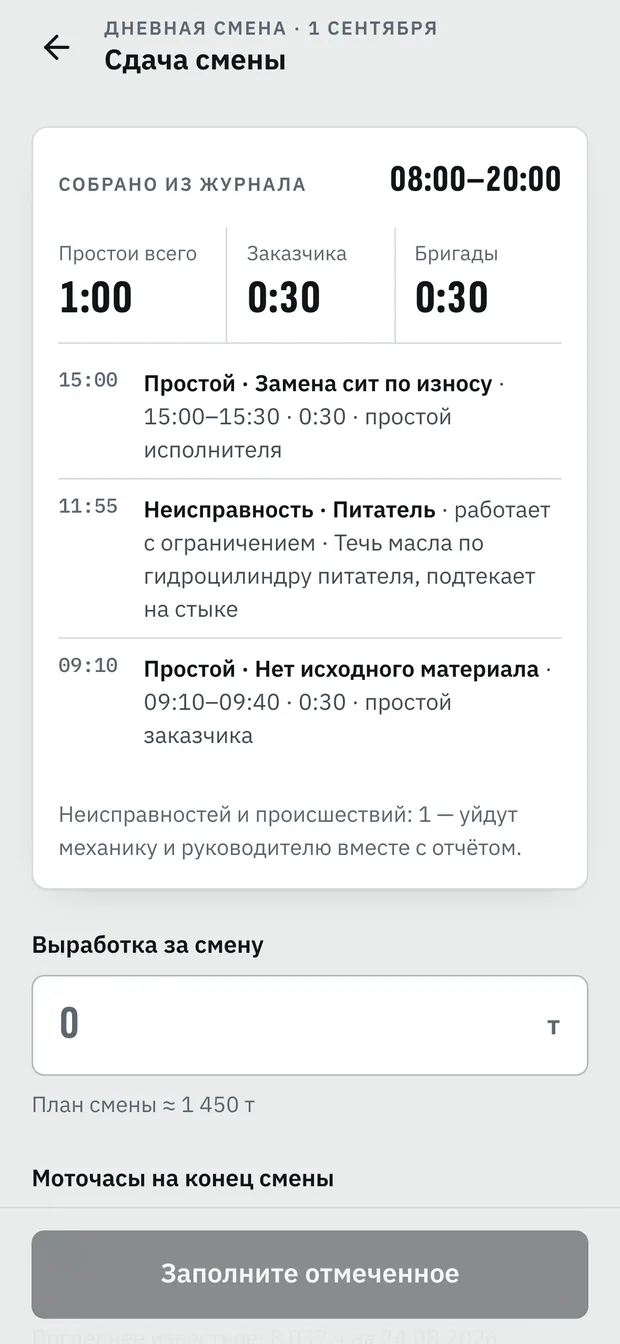
- 08:00Shift taken overThe master signed in with a PIN — the crew and the line are already on screen
- 09:10Customer downtimeNo feed material · 0:30
- 11:55Fault · feederA leak at the hydraulic cylinder, running with a limitation — the mechanic is notified
- 13:00LunchA scheduled break — hatched on the dial
- 15:00Crew downtimeScreens replaced for wear · 0:30
- 16:40Maintenance job doneFeeder shaft bearings lubricated
- 17:20Customer downtimeProduct stockpile full · 0:25
- 19:00HandoverThe shift report is built from the journal
What the office sees
- Customer downtime
- 0:55
- Crew downtime
- 0:30
- Faults
- 1
- Maintenance jobs
- 1
These records make up the report when the shift is handed over, and the CRM counts customer and crew downtime separately.
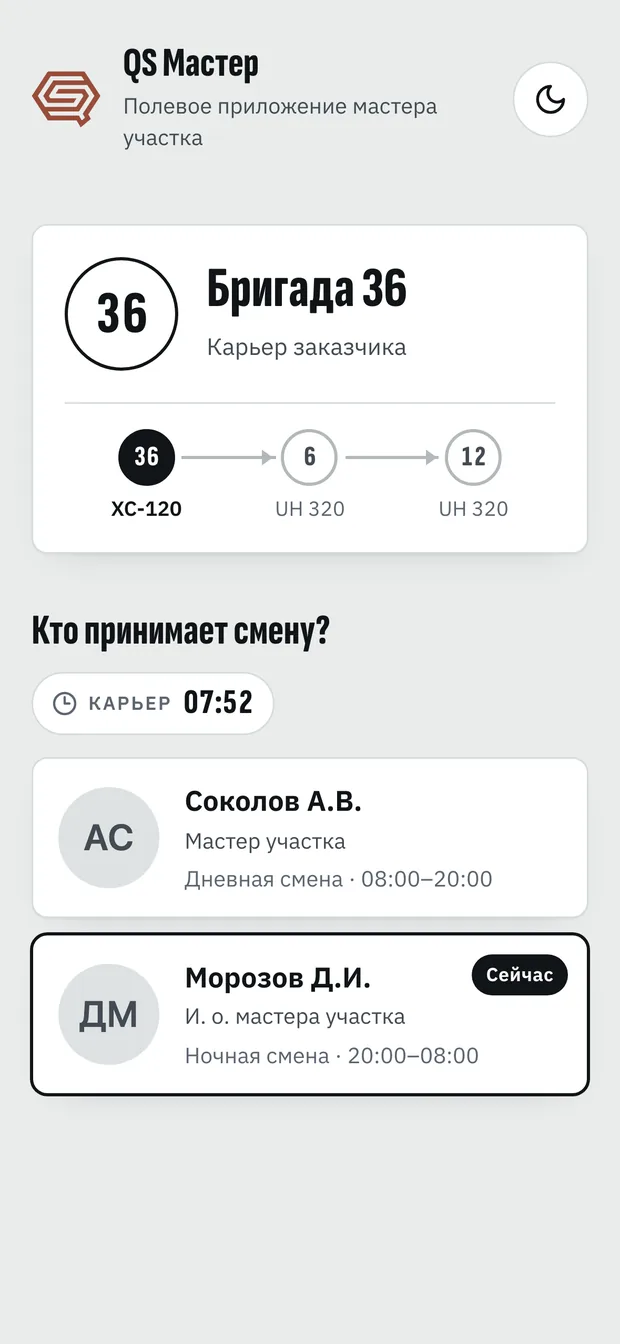
Sign-in
The master picks their name and enters a PIN — the crew and the line are already there
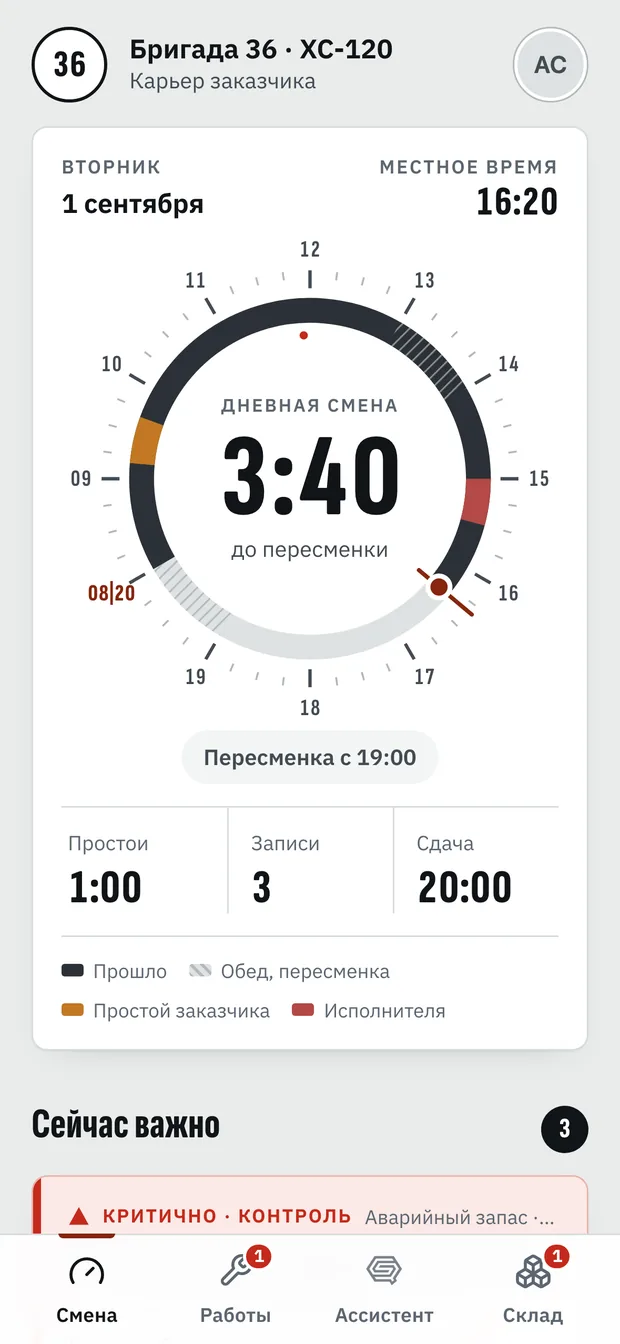
Shift
The shift dial, downtime and the time to handover
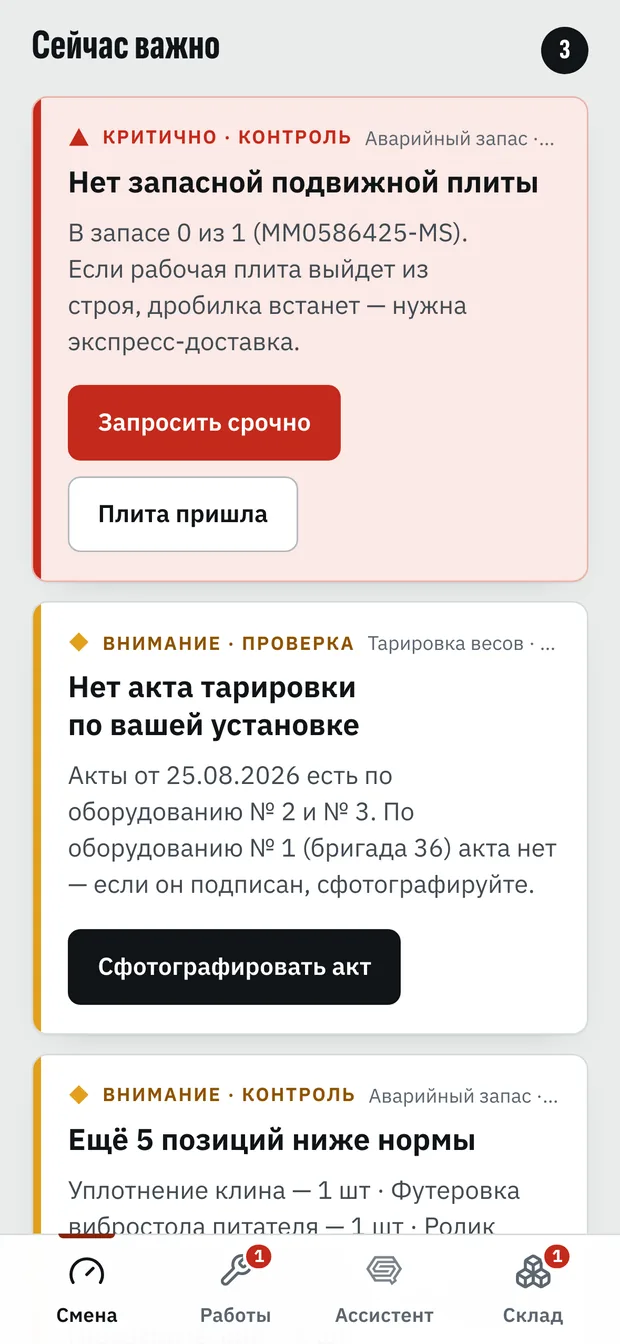
Important now
Emergency stock, calibration, maintenance — by urgency
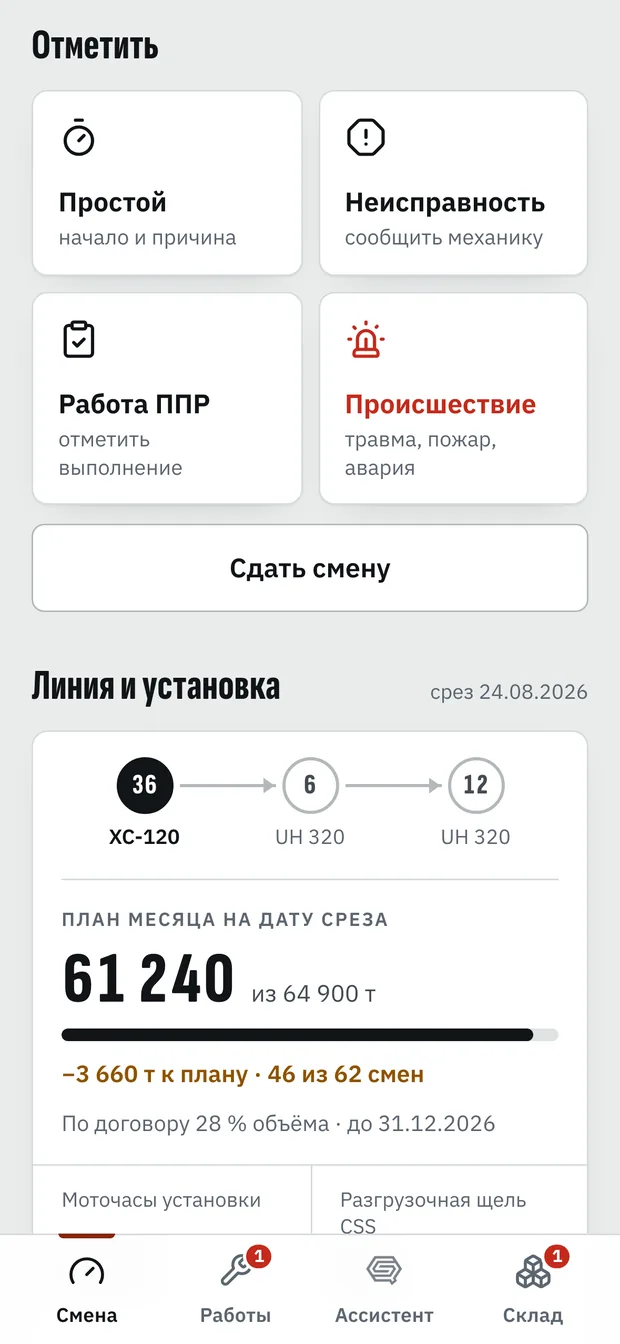
Log
Downtime, a fault, a maintenance job, an incident
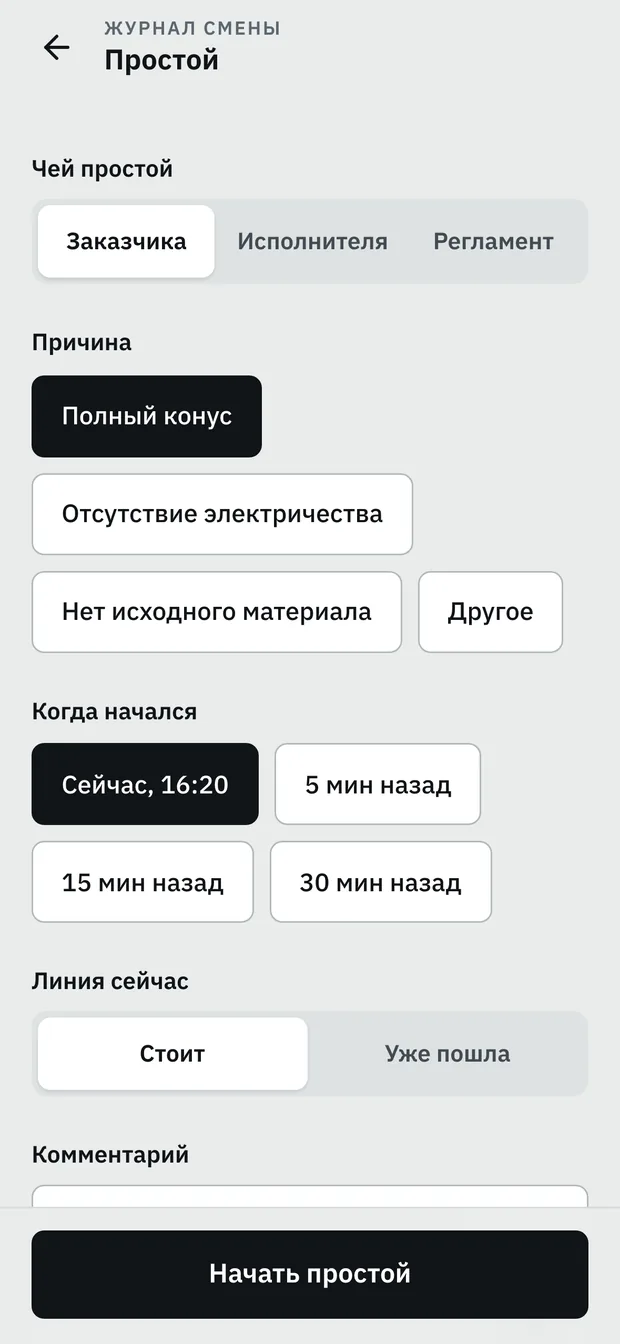
Downtime
Whose downtime, the cause and when it started
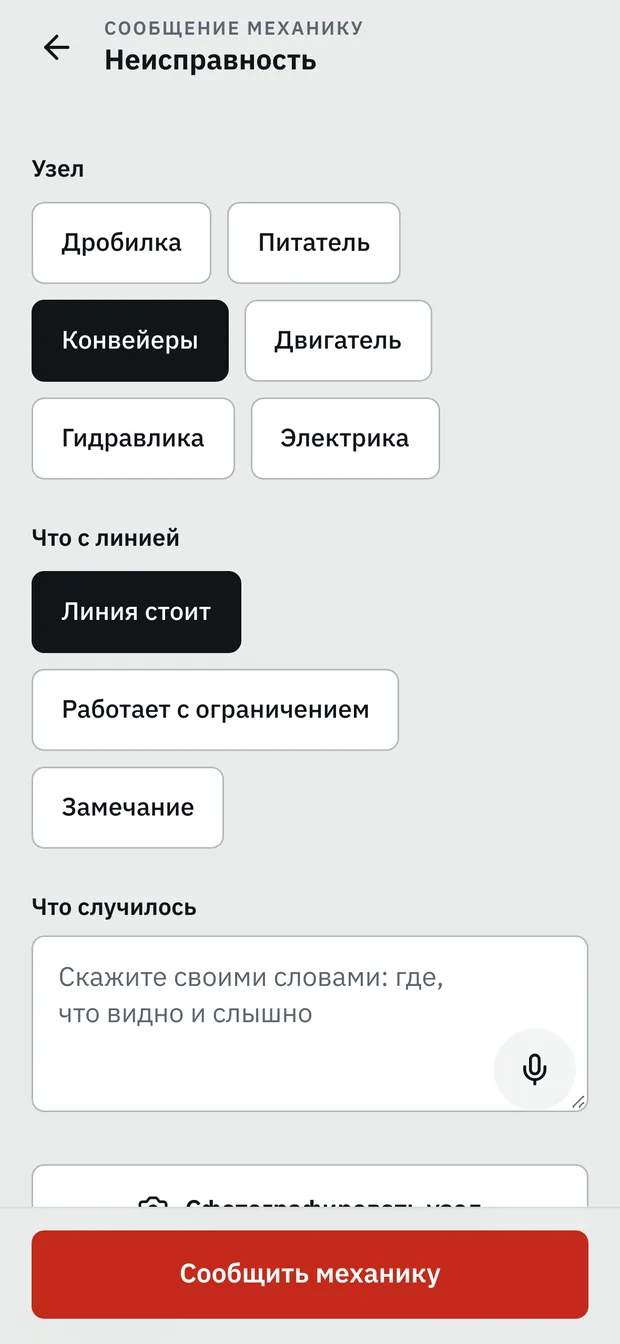
Fault
The assembly, the state of the line and a spoken description
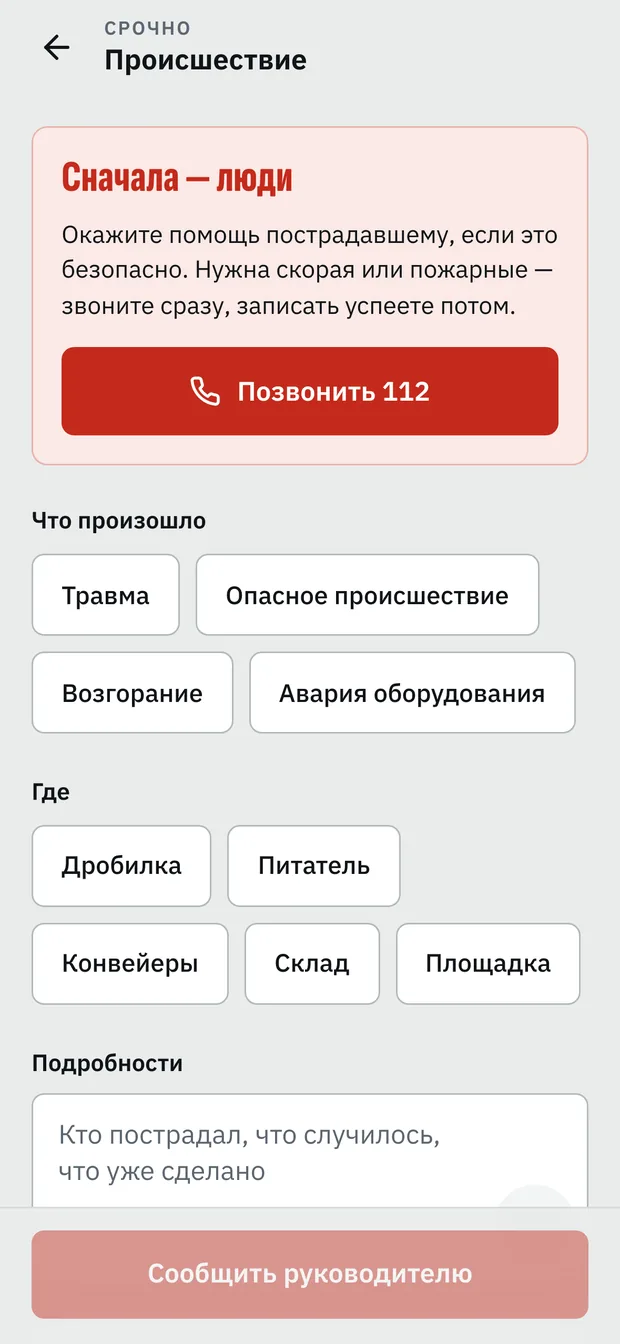
Incident
People first: call 112, write it down later
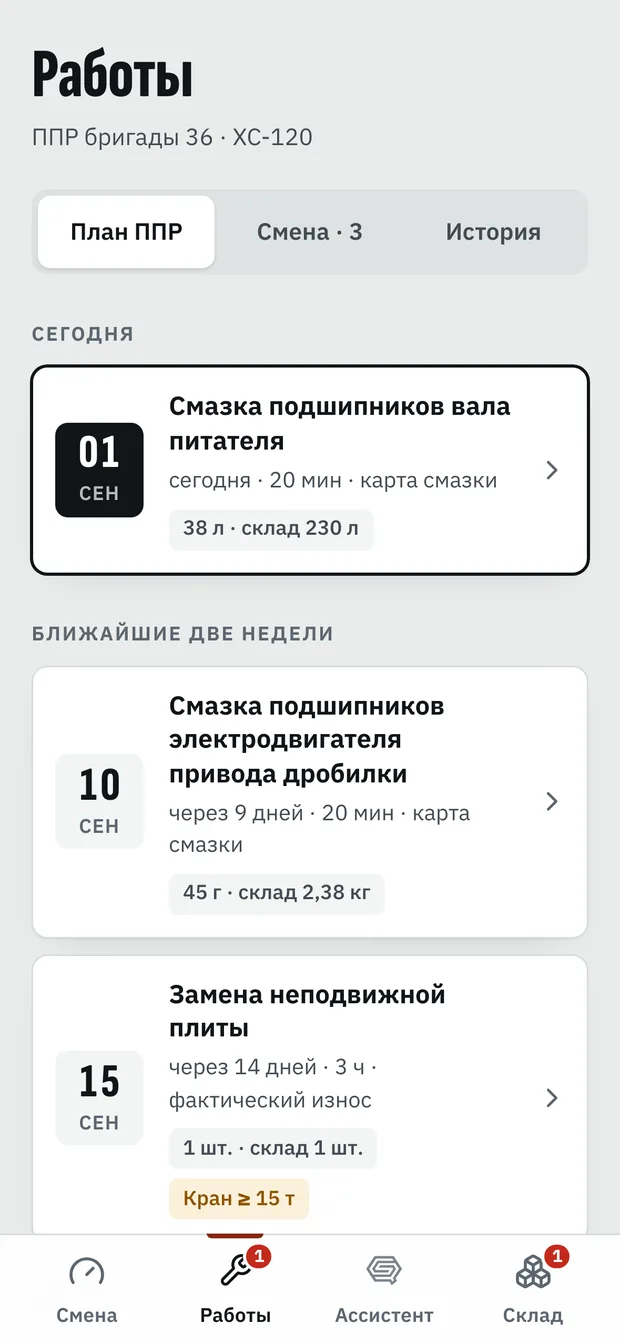
Jobs
Maintenance for today and the next two weeks
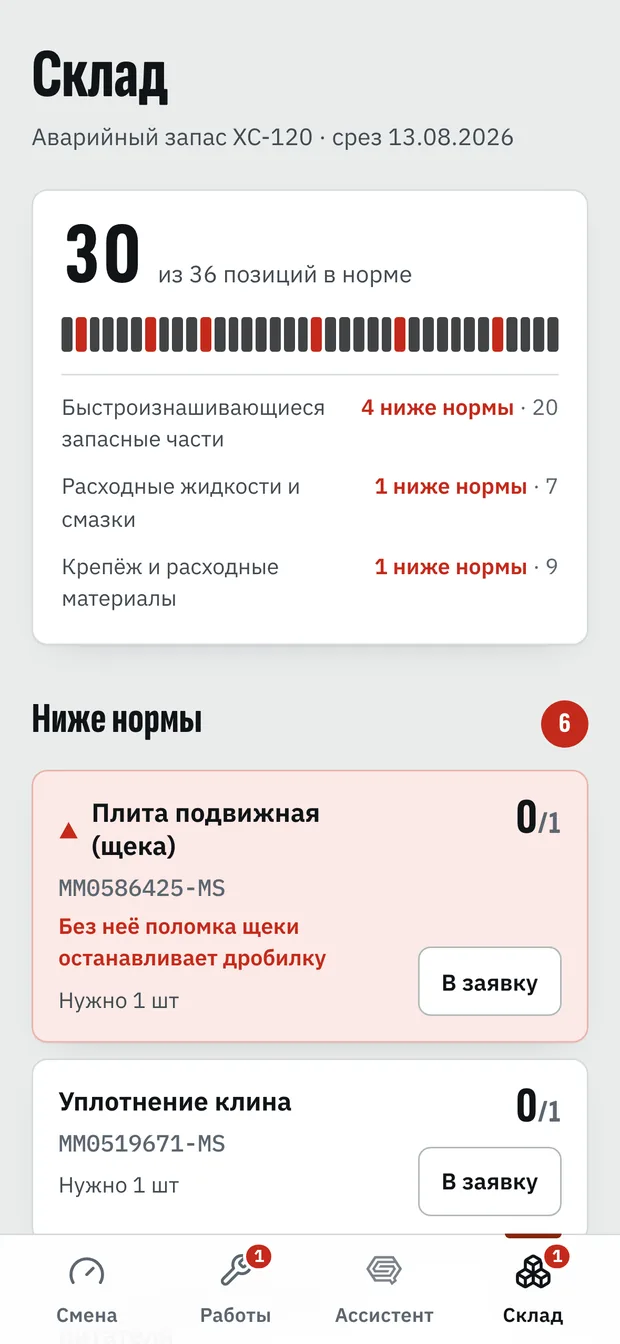
Stock
Emergency stock: what is below norm and what to order
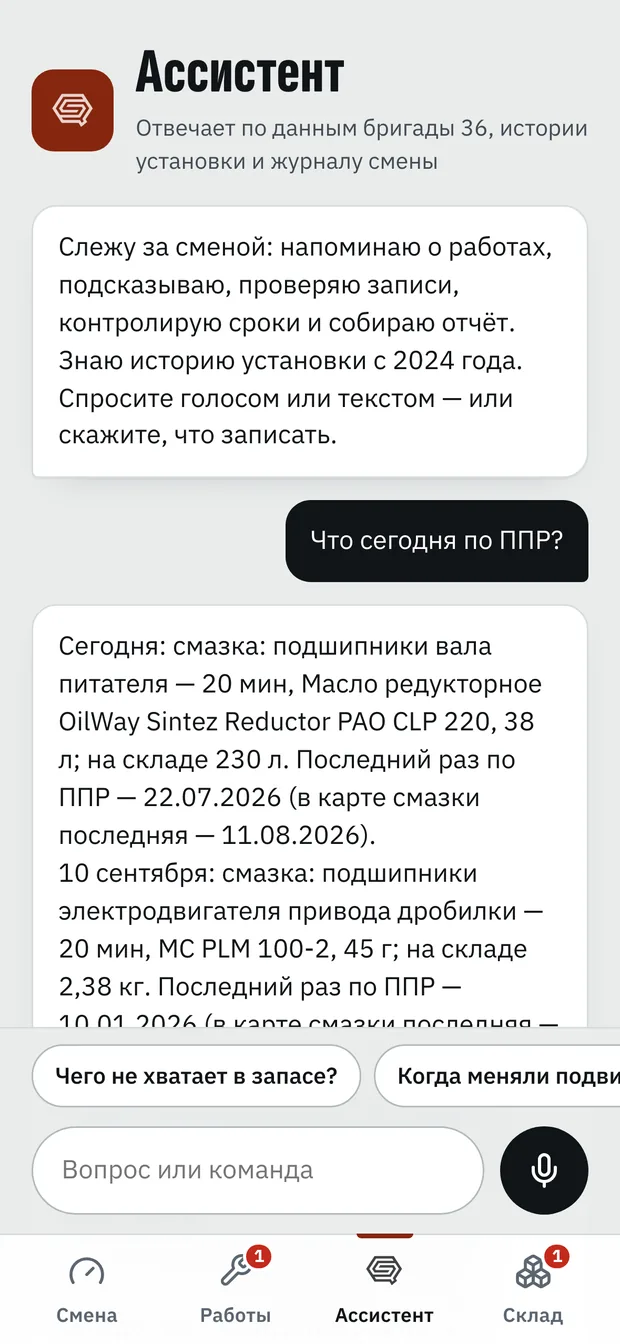
Assistant
Answers from the crew’s data: maintenance, stock, history
Handover
The report is built from the journal; only the output is left to fill in
Names, the customer and volumes on the screens have been changed. The product is in Russian.
AI assistant
Answers from the documents — and makes nothing up
In a crew’s context the assistant searches only that crew’s sources: stock, the parts catalogue, manuals and the logbook. Asked about replacing the fixed jaw plate, it finds the item in stock and a candidate in the catalogue, but warns that interchangeability is not confirmed and that the procedure is a reference from the manual, not a work permit. The master has the same assistant on the phone — by voice or text.
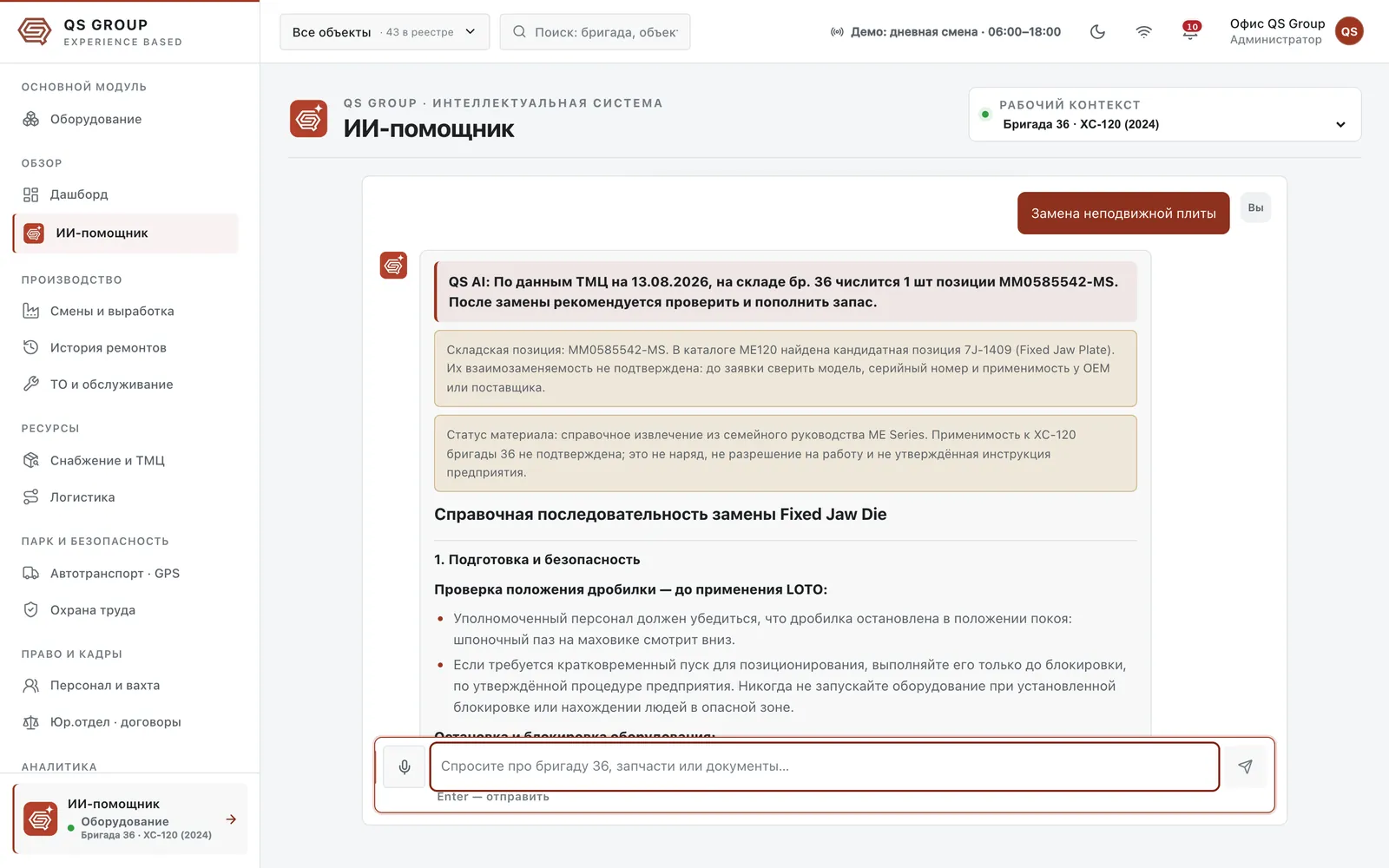
The crew’s sources only
Answers never come from a general base: if this plant’s documents say nothing, the assistant says so and asks for the assembly, model and serial number.
Applicability out loud
A similar part number does not mean the part fits. A catalogue candidate comes with a note: check the model and serial number with the manufacturer.
Answers under review
A poor answer can be flagged with a comment — it goes to a moderator, and the correction applies only to the same question in the same context.
Quality kept in view
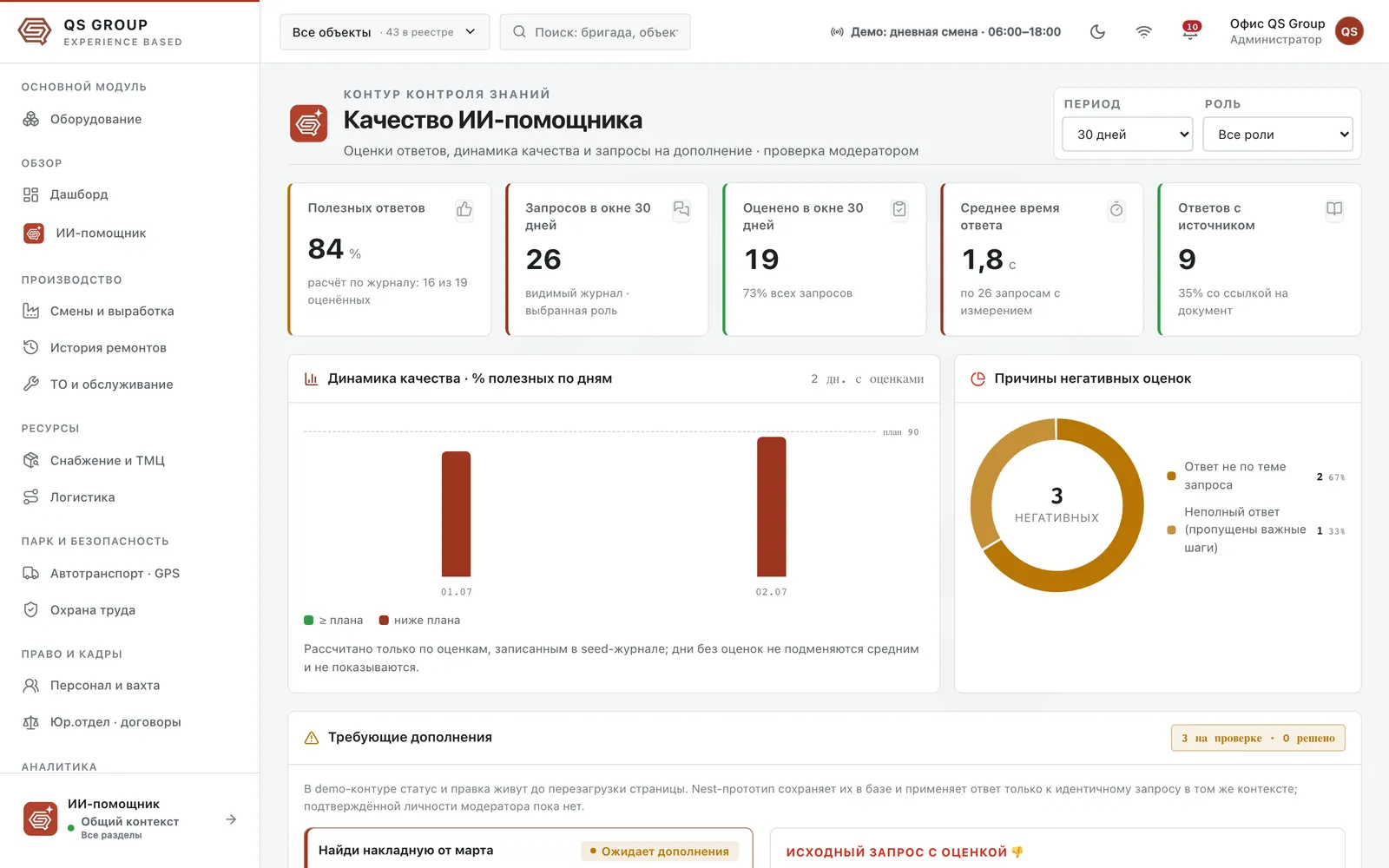
A section of its own counts useful answers, response time and answers that cite a document, and shows the reasons for poor ratings and the “needs more” queue.
Every CRM section
Sixteen sections — one logic
Beyond equipment: shifts and output, repairs, maintenance, supply and inventory, logistics, vehicles, safety, personnel, contracts, reports, reference data and settings. The same order everywhere: indicators with deviations on top, the journal below, the site filter in the header.
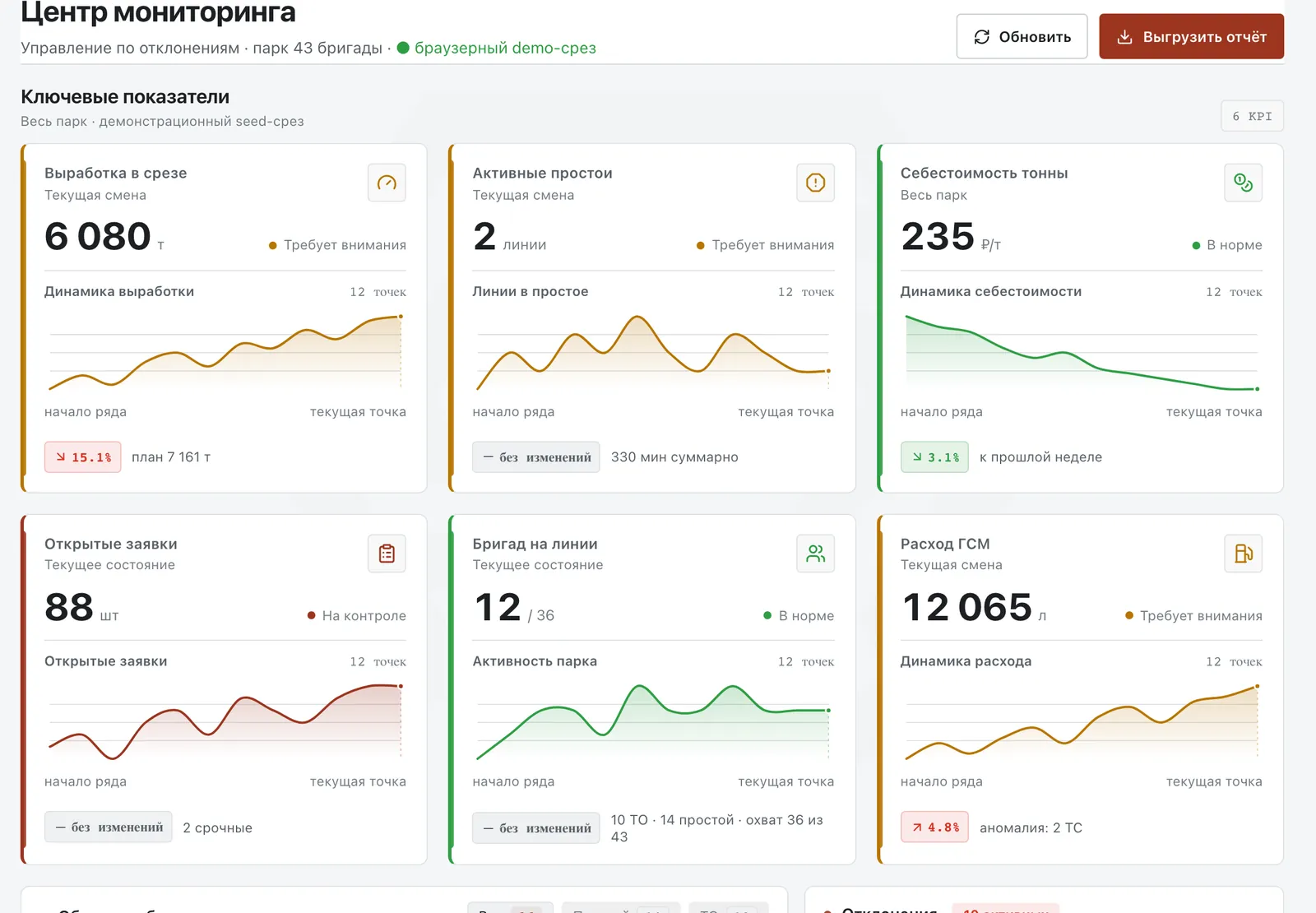
Monitoring centre
Output, downtime, cost per tonne and fuel across the fleet
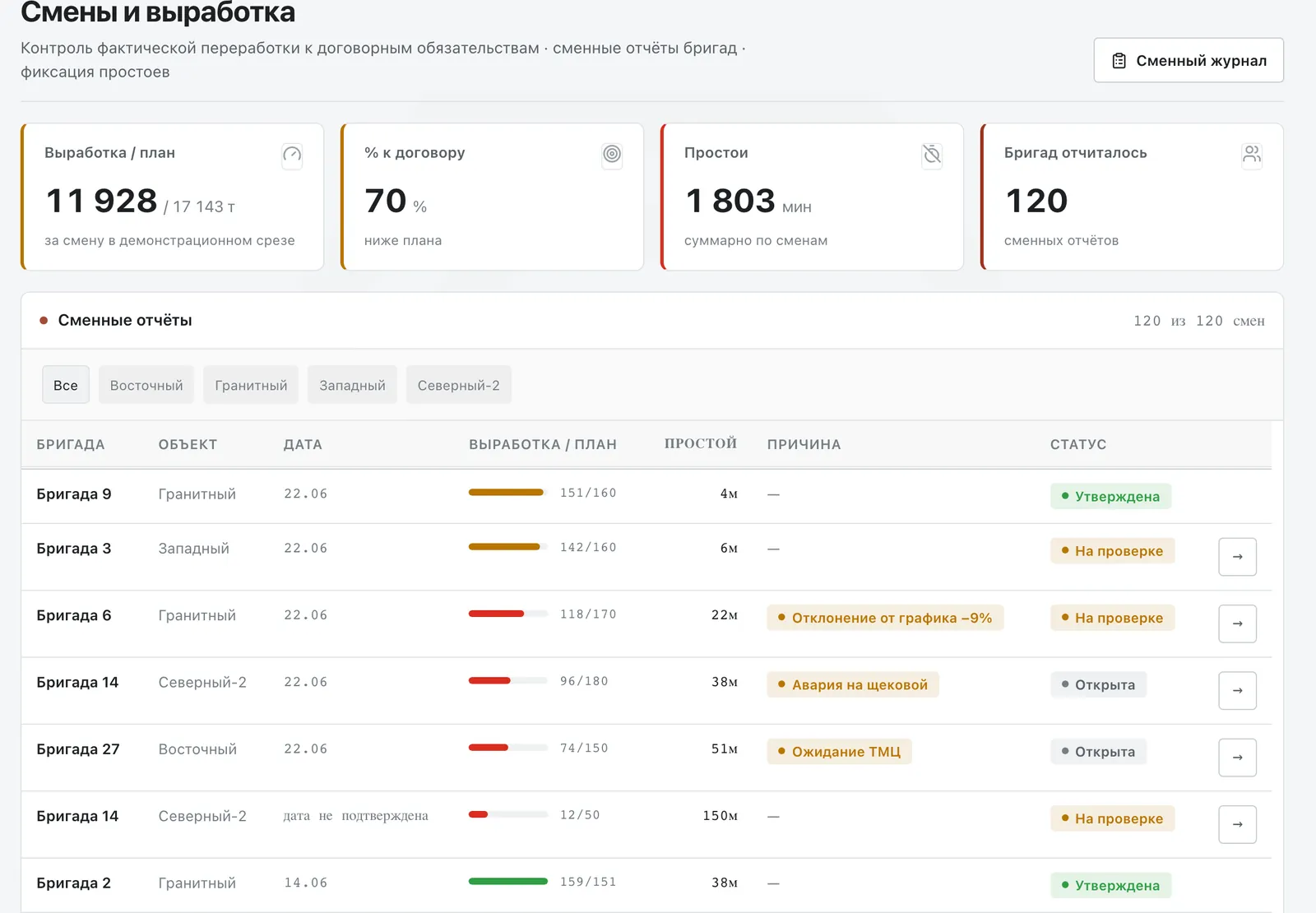
Shifts and output
Crews’ shift reports and their statuses
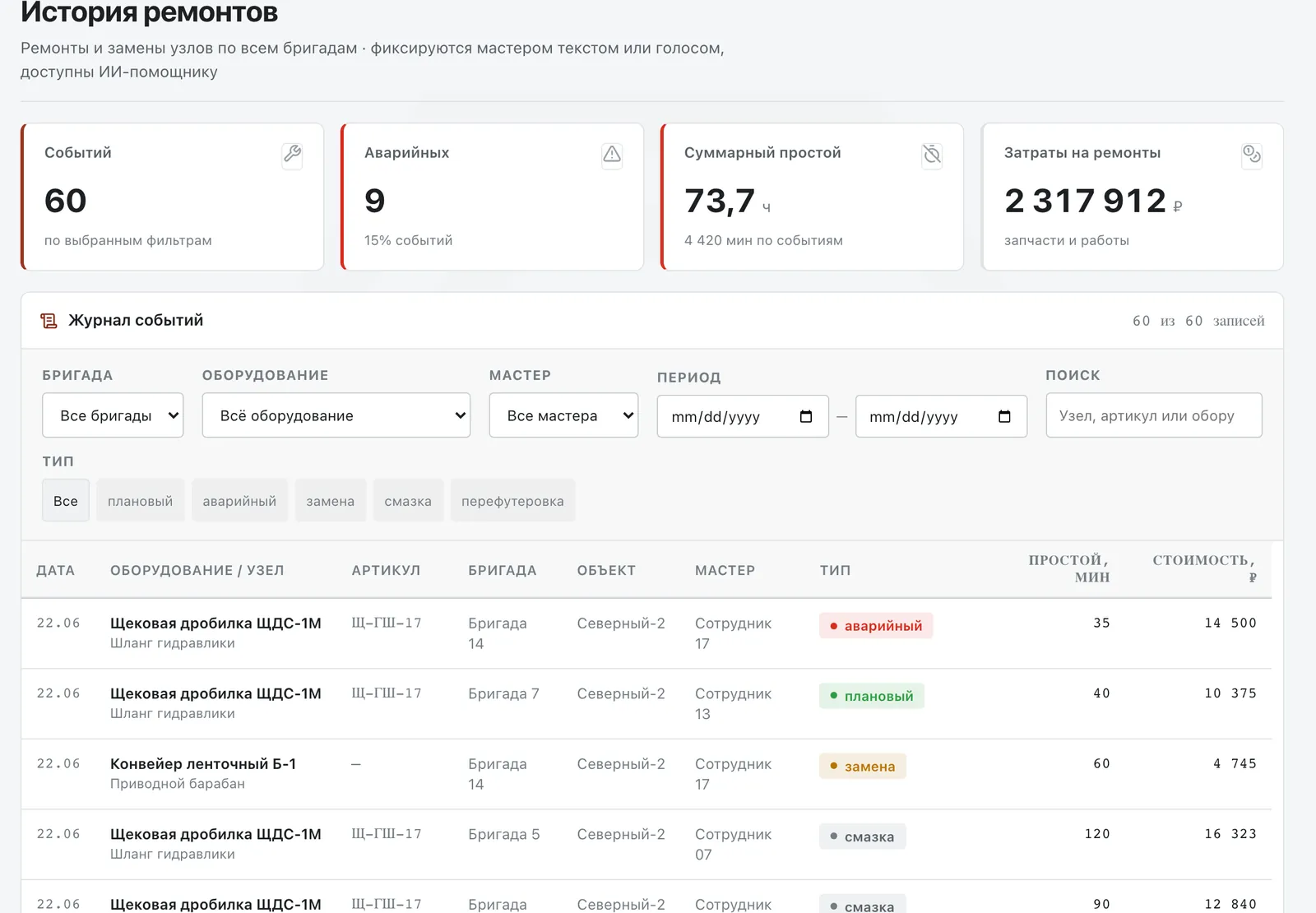
Repair history
A log of repairs and replacements across all crews
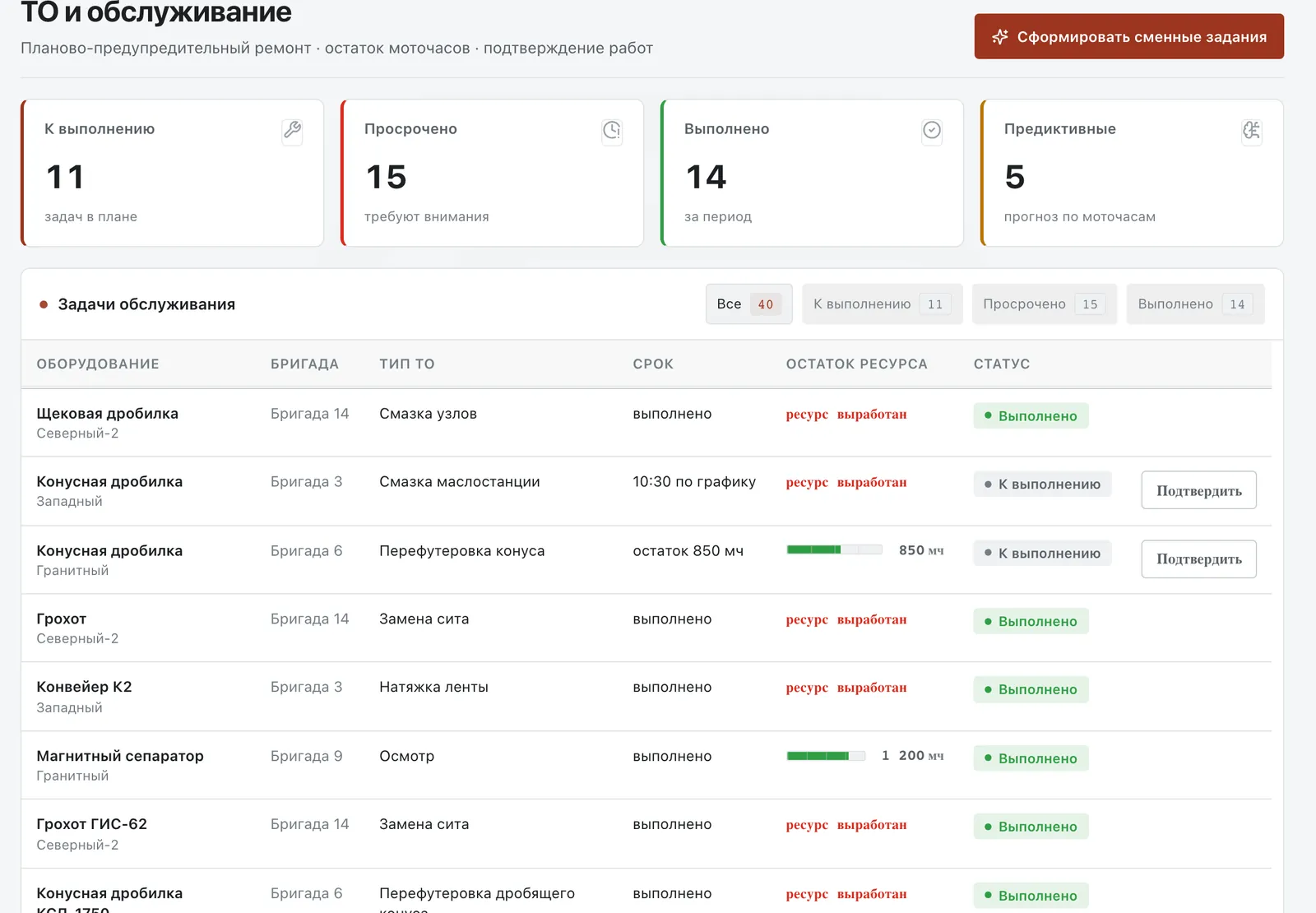
Maintenance
Preventive jobs, remaining service life, shift tasks
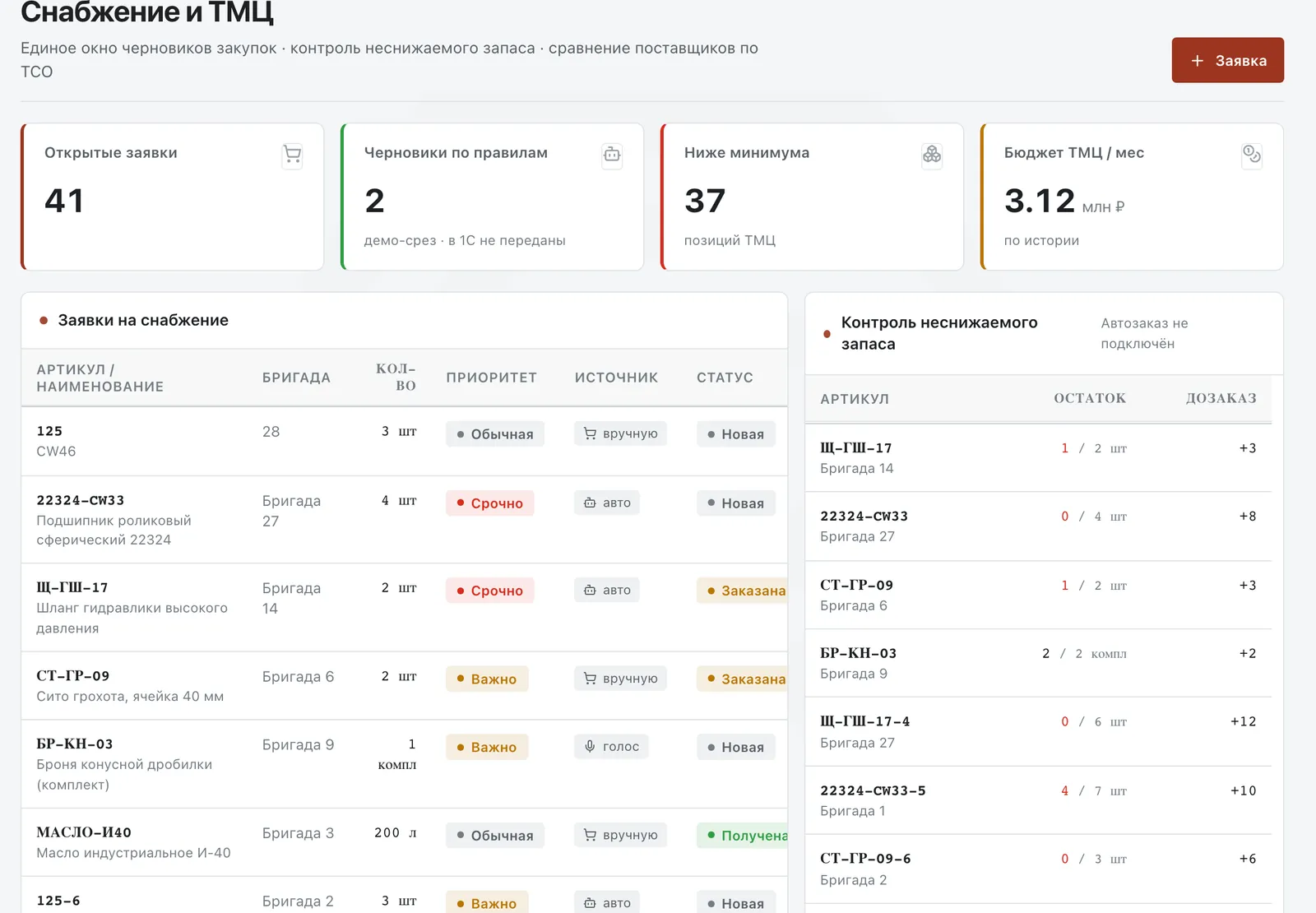
Supply and inventory
Requests, minimum stock, supplier comparison
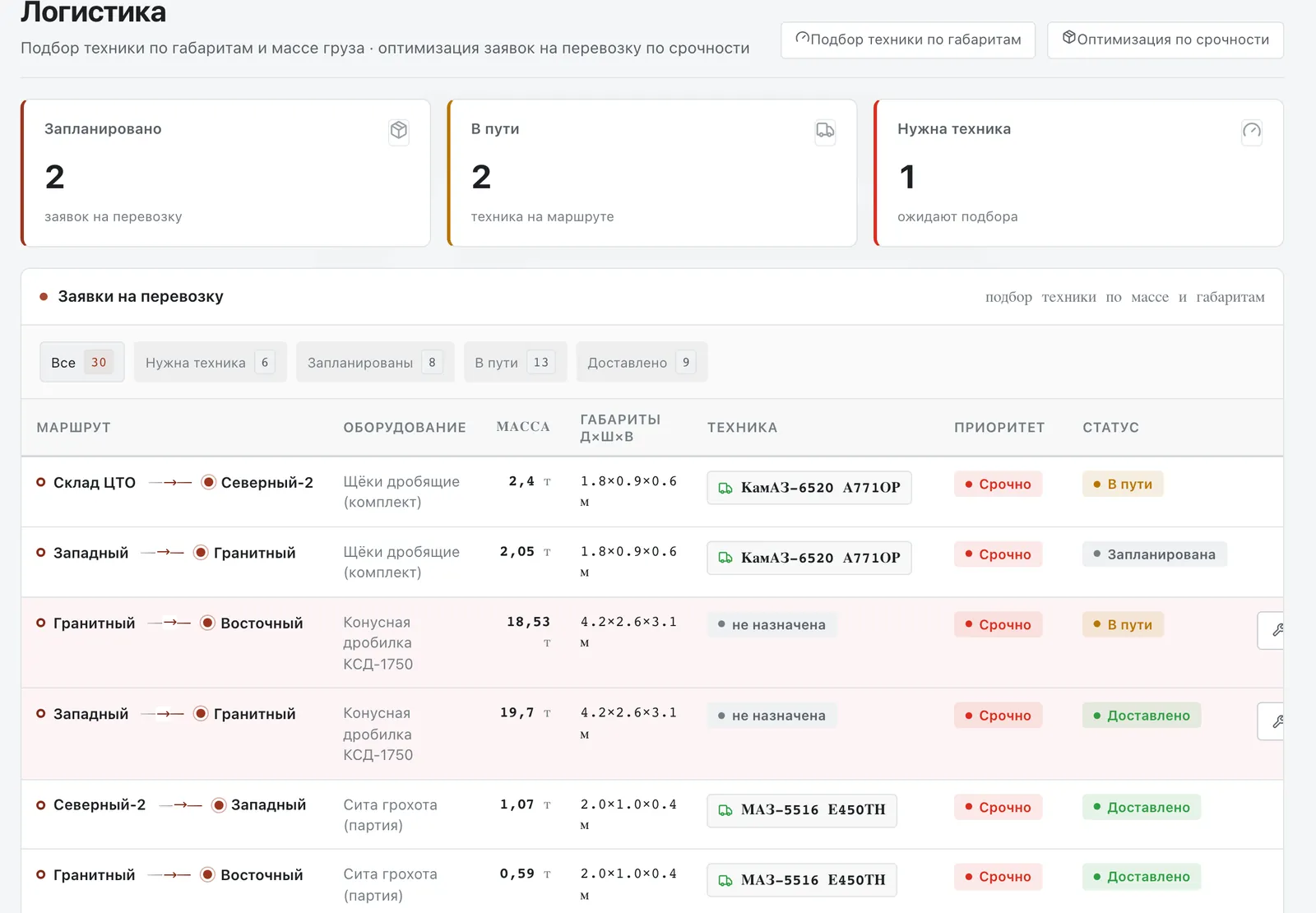
Logistics
Haulage and vehicle matching by weight and size
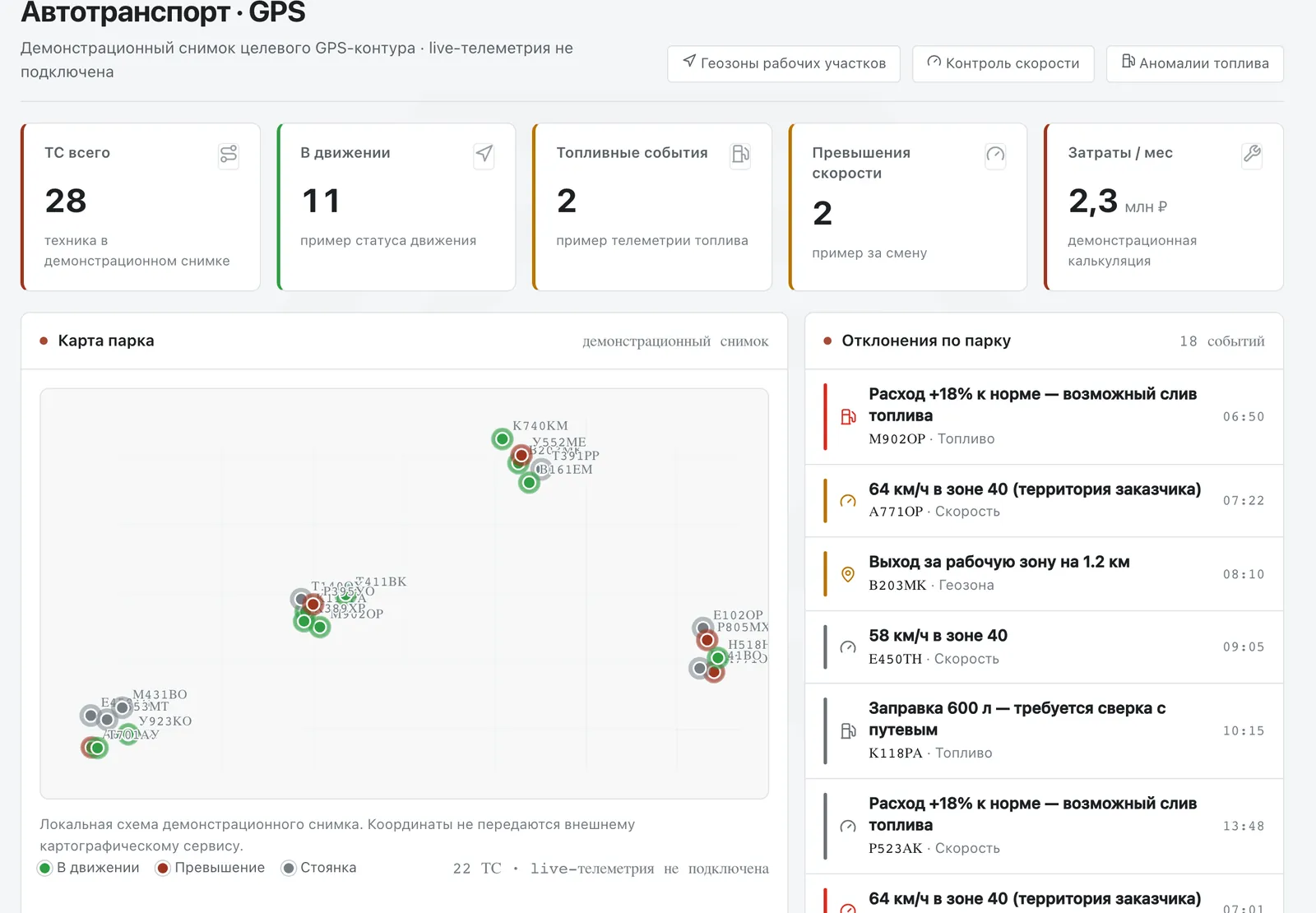
Vehicles · GPS
A fleet map and deviations: fuel, speed, geofences
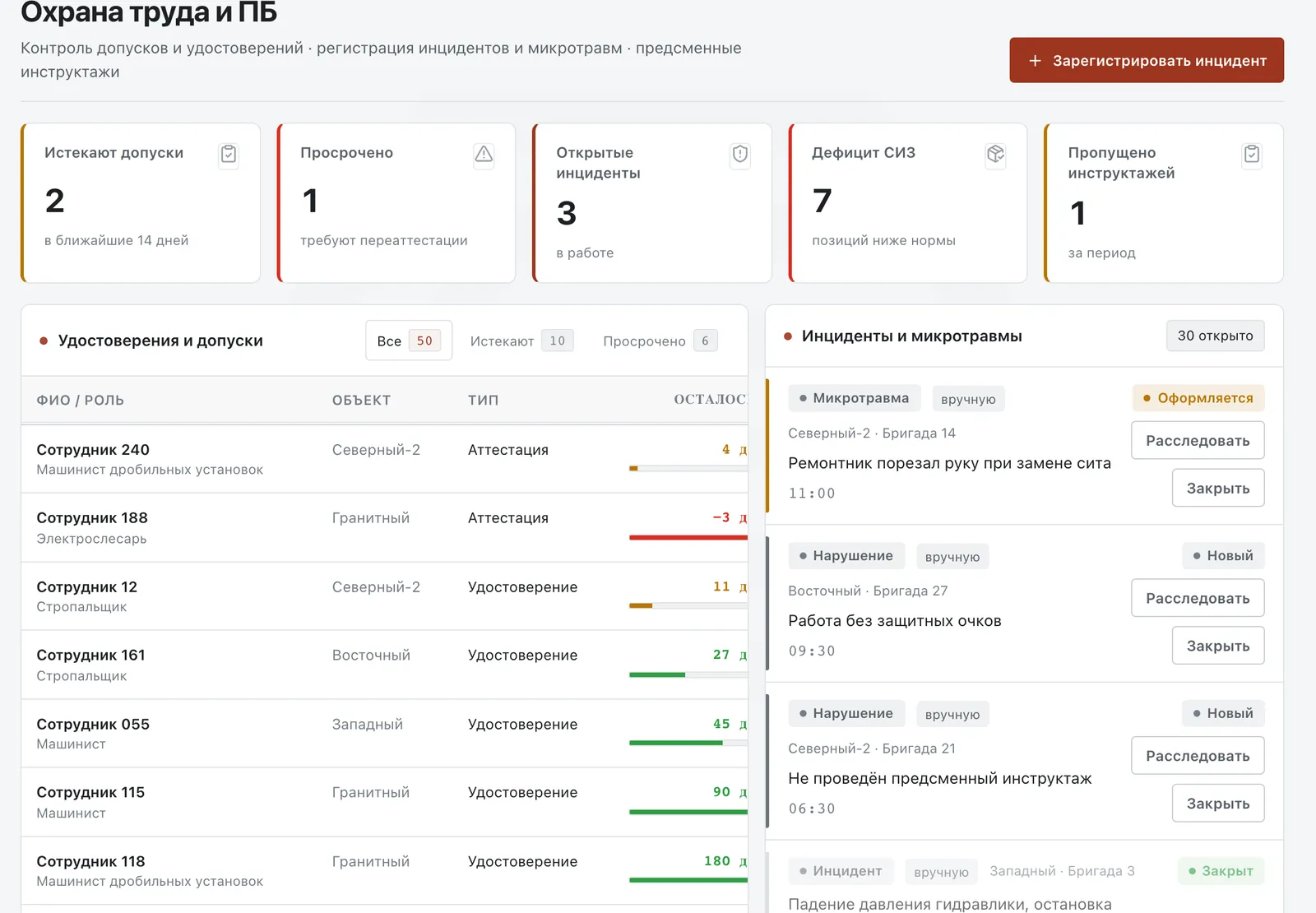
Safety
Permits, certificates, incidents and PPE
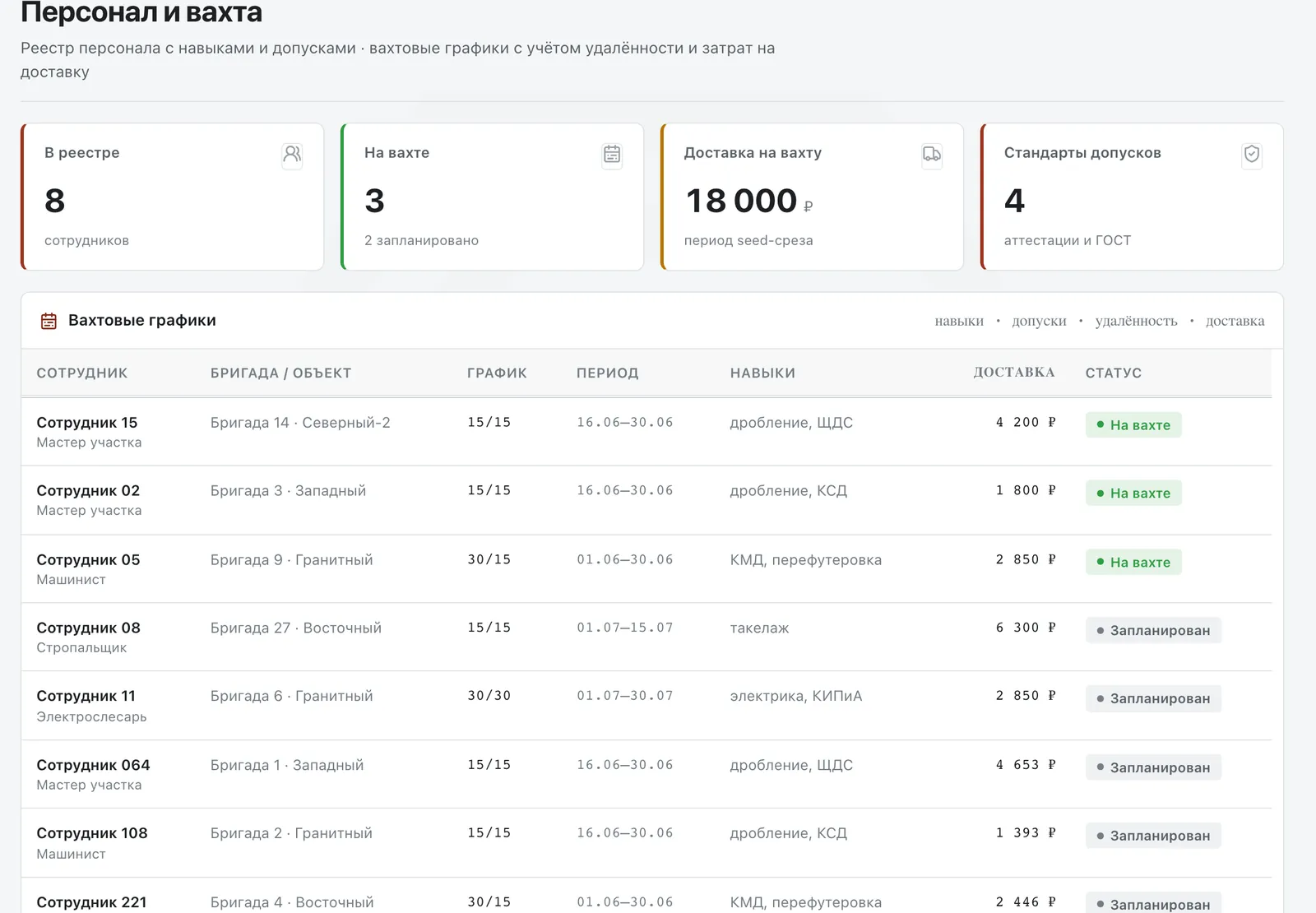
Personnel and rotations
Skills, permits and rotation schedules
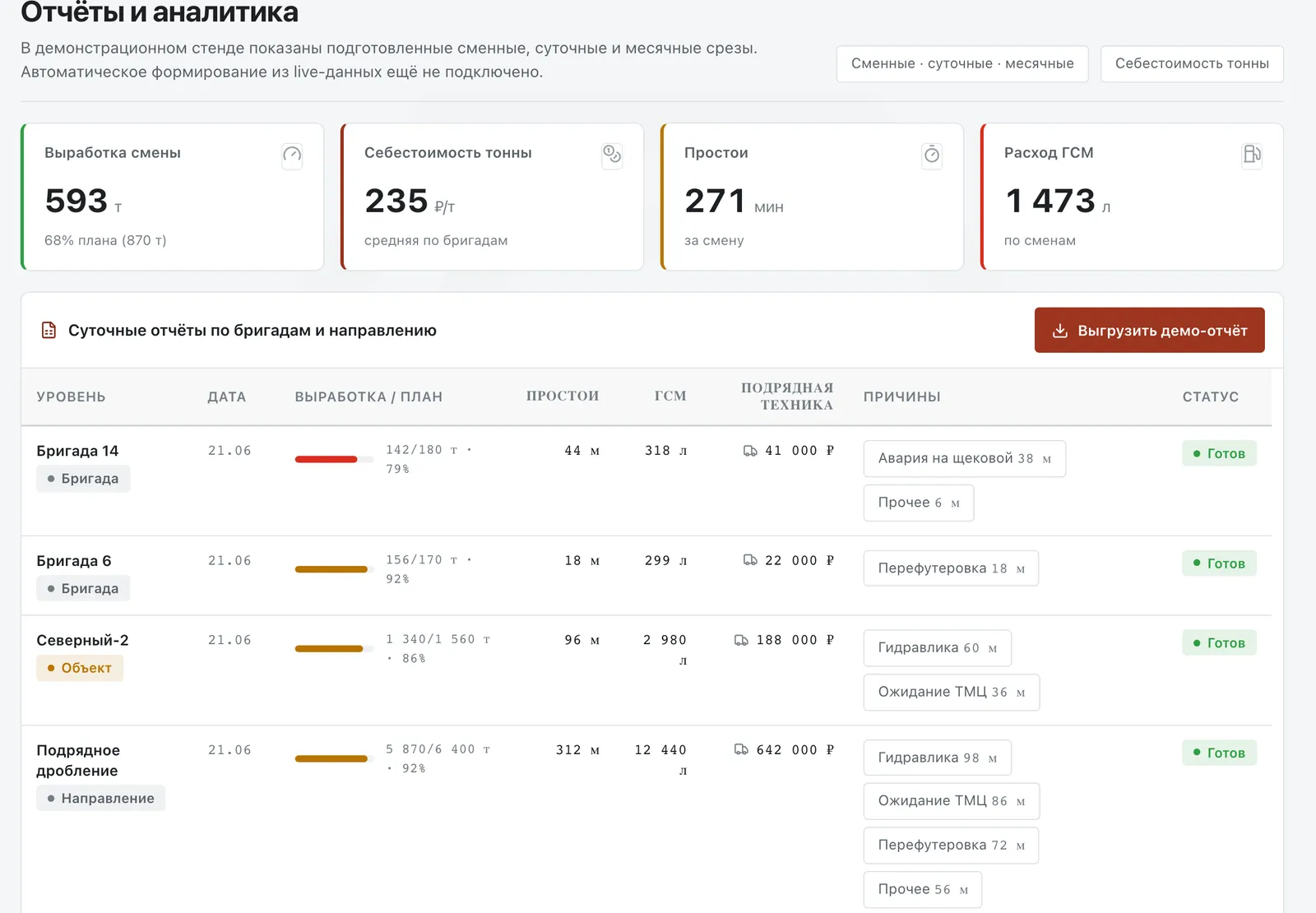
Reports
Shift, daily and monthly cuts with export
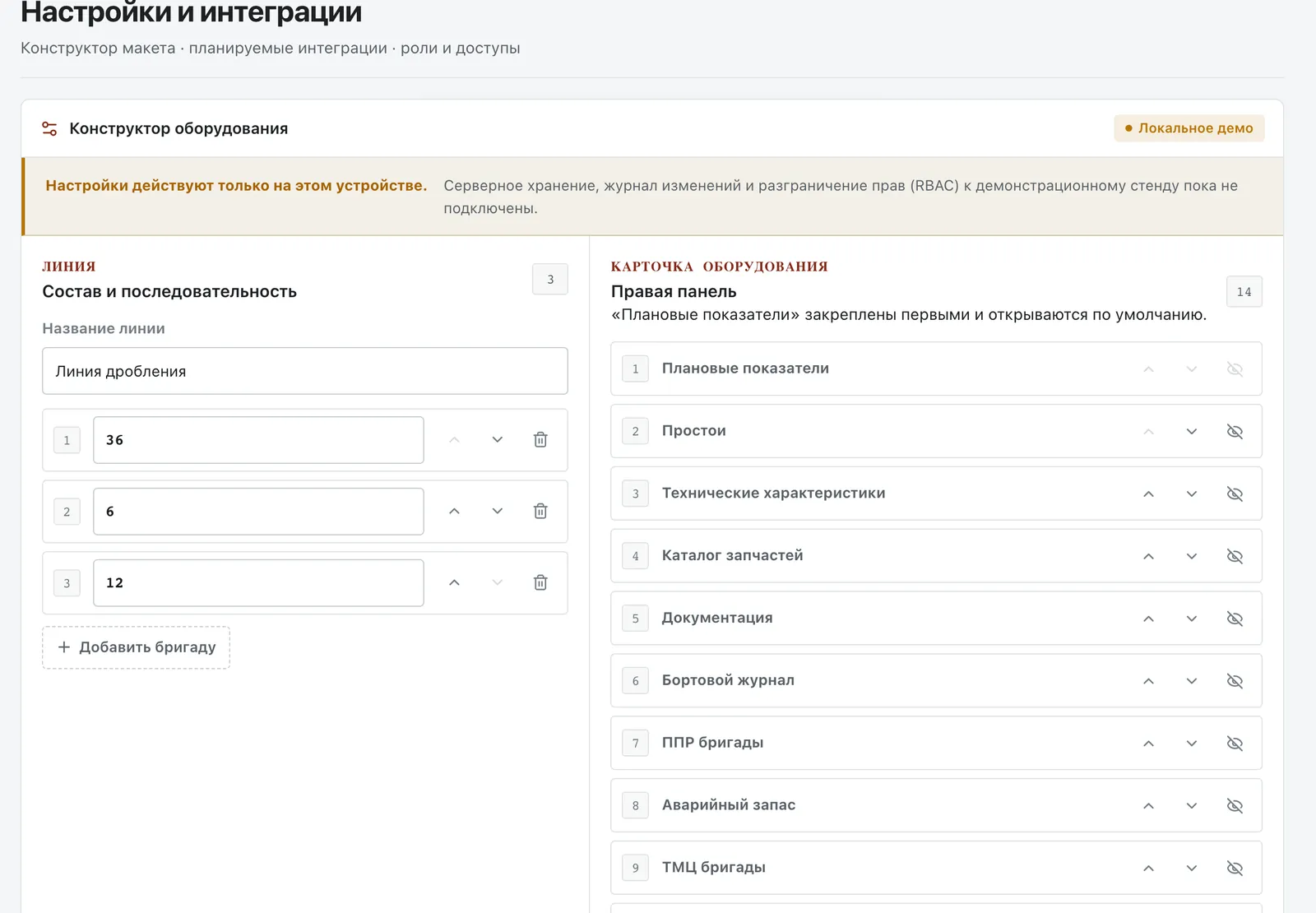
Card builder
The make-up of a line and the order of card sections
Data on the screens is for demonstration: customers, people and volumes have been changed
Design system
One language — for the office and the quarry
The brick red of the QS mark, the crew number in a circle and the “36 → 6 → 12” line read the same in the CRM and in the master app. The office gets dense tables in the system font, which depends on no outside server. The field gets big numbers, buttons of at least 56 pixels, and light and dark themes.
Palette
- Concrete#E9ECEC
- Card#FFFFFF
- Graphite#111417
- QS brick#86260E
- Customer downtime#C27823
- Crew downtime#B34946
Typefaces of the master app
3:40 to handover
Sofia Sans Extra Condensed — numbers and headings
Customer downtime · no feed material
IBM Plex Sans — interface text
09:10–09:40 · MM0586425-MS
IBM Plex Mono — times and part numbers
Marks


The QS mark — a hexagonal maze holding Q and S — sits in the CRM header, on the sign-in screen and in the app icon. The AI assistant has its own version: the same mark with a star, so the assistant is recognised in any section.
Principles
- Demonstration data is labelled on every screen
- Colour is never the only sign of a status: a label always sits beside it
- The AI advises but never issues a work permit
- A request draft is not yet an order in 1C
- Without signal the master keeps working: the journal builds up on the phone
Outcome
What we got done
Development is not finished: access rights, the 1C, GPS and plant-control integrations and syncing the master app with the server remained outside the prototype.
- A fleet registry and a crew card of 14 sections
- A master app with the shift dial and journal
- An AI assistant with sources and answer review
- 16 CRM sections — from shifts to safety
- An API prototype on NestJS and Prisma
- A design system for the office and the field